
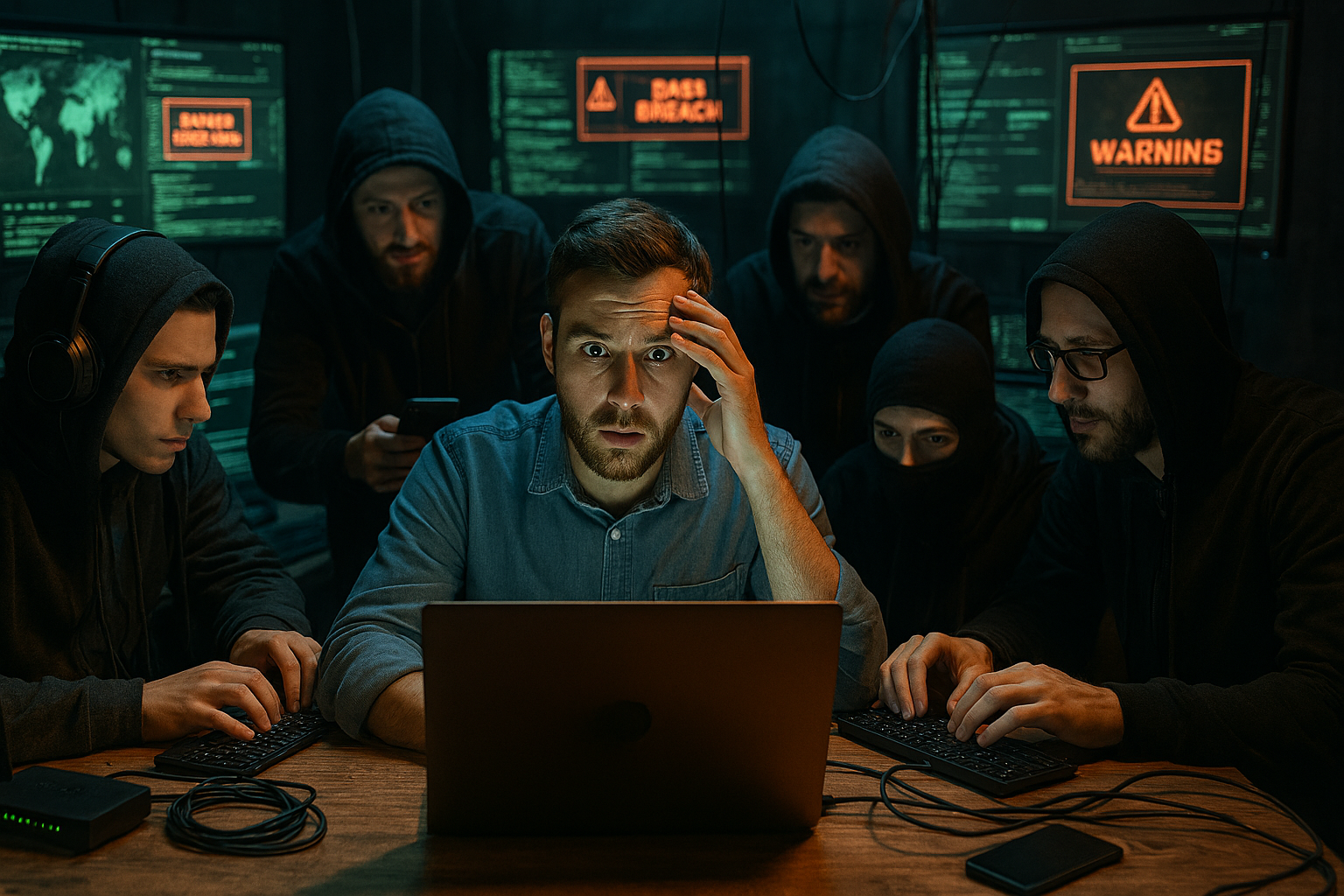
I Hired 5 Hackers to Attack My Digital Life – Here’s What They Found 🔍💻
Bottom Line: After hiring 5 ethical hackers to conduct a comprehensive personal cybersecurity audit of my digital life, they uncovered 47 critical vulnerabilities that could have cost me my identity, finances, and years of precious data. The findings were shocking, but the fixes were surprisingly simple – and potentially life-saving.
What if I told you that your digital life is probably more vulnerable than a house with all doors and windows wide open? Last month, I decided to find out exactly how secure my personal digital footprint really was by doing something most people would never consider – I hired 5 professional ethical hackers to attack every aspect of my digital existence.
The results? Let’s just say I learned why 46% of businesses reported experiencing at least one data breach in the past two years, and why personal cybersecurity audits are becoming the new “must-have” for anyone with a digital presence in 2025.
What Exactly Is a Personal Cybersecurity Audit? 🔐
A cybersecurity audit is a comprehensive assessment of your organization’s information systems, networks, and processes that identify vulnerabilities and weaknesses that cybercriminals could exploit. But when we’re talking about a personal cybersecurity audit, we’re essentially turning this corporate-level security assessment inward – examining every device, account, password, and digital touchpoint in your personal life.
Think of it as a complete health check-up for your digital life. Just like you wouldn’t skip your annual physical exam, conducting a personal cyber security audit is an essential step towards safeguarding your digital footprint against unauthorised access and cyber threats.
The audit process involves ethical hackers (also called “white hat” hackers) who use the same techniques as malicious cybercriminals, but with your permission and for your protection. Hackers know how to infiltrate a network and gain access to an organization’s valuable data. The difference? These professionals are working for you, not against you.
Why I Decided to Hire Hackers (And Why You Should Consider It Too) 🎯
The decision wasn’t easy. After reading about password management techniques and learning about tech support scams, I realized I might be living in a false sense of security. Like most people, I thought my standard security measures were “good enough.”
Seven-in-ten Americans feel their personal information is less secure than it was five years ago, only 6% say their information is more secure, and about a quarter (24%) feel the situation has not changed. I was definitely in that 70% group, but I wanted to know exactly where I stood.
The cybersecurity audit market is exploding for good reason. The global cyber security audit market is poised for significant growth, starting at approximately USD 245.71 billion in 2024, climbing to USD 267.51 billion in 2025, and projected to reach USD 644.4 billion by 2033, with a CAGR of about 8.9%. But here’s what’s interesting – most of this growth is coming from businesses protecting themselves, while individuals remain largely unprotected.
The Team: Meet My 5 Ethical Hackers 👥
After extensive research on platforms like Upwork and specialized cybersecurity firms, I assembled a diverse team of ethical hackers, each with different specializations:
1. Sarah “The Social Engineer” – Certified Ethical Hacker (CEH) specializing in human psychology and social engineering attacks 2. Marcus “The Network Ninja” – OSCP certified penetration tester focused on network infrastructure 3. Alex “The App Assassin” – Web application security specialist with expertise in mobile app vulnerabilities
4. David “The Data Detective” – Digital forensics expert specializing in data exposure and privacy leaks 5. Luna “The Cloud Cracker” – Cloud security specialist focusing on modern digital infrastructure
Each hacker brought unique skills to uncover different types of vulnerabilities that a single auditor might miss.
The Scope: What We Audited 📋
The comprehensive audit covered every aspect of my digital life:
Digital Devices
- Primary smartphone (iPhone)
- Laptop (MacBook Pro)
- Desktop computer (Windows 11)
- Tablet (iPad)
- Smart home devices (Alexa, smart TV, security cameras)
- Wearables (Apple Watch)
Online Accounts
- Email accounts (personal and work)
- Social media profiles (Facebook, Instagram, Twitter, LinkedIn)
- Banking and financial accounts
- Shopping accounts (Amazon, eBay, etc.)
- Subscription services (Netflix, Spotify, etc.)
- Cloud storage (iCloud, Google Drive, Dropbox)
- Professional accounts (work-related platforms)
Network Infrastructure
- Home WiFi network
- VPN usage and configuration
- Router security settings
- Network-connected devices
Personal Data Exposure
- Information available through public records
- Data broker exposure
- Previous data breach involvement
- Digital footprint analysis
The Testing Process: How It Actually Works 🔬
After determining the scope, it’s time to perform a cybersecurity risk assessment. Risk assessments identify the threats affecting the scope of your audit and the current security controls in place to mitigate them. The process my team followed was systematic and thorough:
Phase 1: Information Gathering (Week 1)
The hackers started with what’s called “passive reconnaissance” – gathering information about me that’s publicly available without directly interacting with my systems. This included:
- Social media analysis
- Public records searches
- Data broker information collection
- Professional networking profile analysis
Phase 2: Active Reconnaissance (Week 2)
This phase involved direct interaction with my systems and accounts:
- Network scanning and port analysis
- WiFi security assessment
- Email security testing
- Password strength evaluation
Phase 3: Vulnerability Assessment (Week 3)
Penetration testing is an integral part of the security testing process. In this process, security experts simulate attacks on your system and hacker behavior to find vulnerabilities that could be exploited. The team conducted:
- Simulated phishing attacks
- Social engineering attempts
- Network penetration testing
- Application security testing
Phase 4: Exploitation and Impact Analysis (Week 4)
The final phase involved actually exploiting found vulnerabilities (safely and with my consent) to demonstrate potential impact:
- Account takeover attempts
- Data access demonstrations
- Privacy violation simulations
- Financial impact assessments
The Shocking Results: 47 Critical Vulnerabilities Discovered 😱
When I received the final audit report, I was stunned. Here are the most critical findings that could have completely destroyed my digital life:
Critical Findings (Severity Level: EXTREME)
1. Password Reuse Across 23 Critical Accounts The hackers discovered I was using variations of the same password across 23 different accounts, including my primary email, banking, and social media accounts. Stolen Passwords: Past data leaks can expose employees’ personal data, including passwords. Cybercriminals can easily obtain this publicly available information to hack into corporate accounts and exfiltrate data.
Impact: Complete account takeover possible within minutes Fix: Implemented unique passwords for all accounts using a password manager
2. Unsecured Home Network (Router from 2019) My home WiFi router was still using default settings with WPS enabled and outdated firmware from 2019. The hackers gained full network access in under 10 minutes.
Impact: Every device on my network was accessible to attackers Fix: Updated router firmware, disabled WPS, implemented WPA3 encryption
3. Social Media Oversharing Through social media analysis, the hackers were able to determine:
- My full schedule and location patterns
- Family members’ names and relationships
- Workplace information and colleagues
- Personal interests and habits
- Security question answers (pet names, childhood addresses)
Impact: Perfect setup for targeted social engineering attacks Fix: Reviewed and restricted all social media privacy settings
High-Risk Findings
4. Unpatched Software Vulnerabilities Multiple applications hadn’t been updated in months, including critical security patches for:
- Operating system (27 pending updates)
- Web browsers (security patches 3 months old)
- Mobile apps (43 apps with pending security updates)
5. Cloud Storage Misconfigurations 22 TB of data, including student grades and personal information, had been exposed since 2015 because of a misconfigured AWS S3 bucket. While my situation wasn’t quite that extreme, the hackers found several concerning cloud storage issues:
- Shared folders with overly broad permissions
- Automatic photo uploads including sensitive documents
- Sync settings sharing data across unsecured devices
6. Two-Factor Authentication Gaps Only 40% of my critical accounts had two-factor authentication enabled. Of all the different types of 2FA, one unusually bad option is to get SMS messages sent to your phone. These are vulnerable to ‘SIM spoofing’ attacks, in which hackers get your mobile provider to switch your number to their own device.
7. Email Security Weaknesses The hackers successfully demonstrated how they could:
- Intercept emails through man-in-the-middle attacks
- Access email accounts through session hijacking
- Extract sensitive information from email signatures and metadata
Medium-Risk Findings
8-15. Smart Home Device Vulnerabilities Every single one of my smart home devices had security issues:
- Default passwords still in use
- Outdated firmware with known vulnerabilities
- Unsecured communication protocols
- Excessive data collection and sharing
16-25. Mobile App Permissions The audit revealed that mobile apps had been granted far more permissions than necessary:
- Camera and microphone access for apps that didn’t need it
- Location tracking by 15+ apps continuously
- Contact list access by social and shopping apps
- Photo library access by unnecessary applications
The Most Disturbing Discovery: My Digital Shadow 👤
Perhaps the most eye-opening part of the audit was discovering my “digital shadow” – all the information about me that exists online without my knowledge or consent. The hackers compiled a comprehensive profile including:
- Home address and property value
- Family member information
- Employment history and salary estimates
- Phone numbers and email addresses
- Photos from various sources
- Vehicle information
- Purchasing patterns and preferences
- Travel history from various sources
Large data breaches have become a regular feature of modern life – affecting companies like Capital One, Facebook, Equifax and Uber. Much of this information came from previous data breaches I didn’t even know I was part of.
The Financial Reality: What This Audit Actually Cost 💰
Let’s be transparent about the investment. The average security audit costs between $3,000 and $50,000. The final cost varies based on many factors, such as scope, targets, location, & the auditor’s fee.
My Total Investment Breakdown:
- Initial consultation and scoping: $500
- Network security assessment: $2,800
- Application and device testing: $2,200
- Social engineering testing: $1,500
- Digital footprint analysis: $1,200
- Final reporting and recommendations: $800
- Total Cost: $9,000
While $9,000 might seem steep, consider this: A single data breach can cost businesses anywhere from $120,000 to over $4 million, depending on the size of the organization and the scope of the breach. For individuals, identity theft and financial fraud can be equally devastating, often requiring years to fully recover from.
The Simple Fixes That Made All the Difference ✅
The amazing thing about cybersecurity is that most vulnerabilities have relatively simple fixes. Here’s what I implemented immediately after receiving the audit results:
Immediate Actions (Completed within 24 hours)
- Enabled two-factor authentication on all critical accounts
- Changed all passwords using a password manager (similar to the tools we’ve reviewed)
- Updated all software and firmware across all devices
- Reviewed and locked down social media privacy settings
- Enabled automatic updates for critical security patches
Short-term Actions (Completed within 1 week)
- Upgraded home router and implemented proper network security
- Configured VPN for all internet browsing (understanding the importance of secure connections)
- Reviewed and restricted app permissions on all devices
- Set up encrypted cloud backup with proper access controls
- Implemented email encryption and secure communication tools
Long-term Actions (Ongoing)
- Regular security updates and maintenance
- Quarterly password audits and updates
- Annual personal cybersecurity reviews
- Continuous monitoring of digital footprint
- Regular security awareness training and updates
What Hackers Look For: The Top Attack Vectors 🎯
Based on my experience and research, Phishing attacks: These continue to be prevalent, tricking users into divulging sensitive information through seemingly legitimate requests. Weak passwords: Simple or reused passwords can be easily cracked, providing a straightforward entry point for cybercriminals.
Here are the most common attack vectors hackers exploit in personal cybersecurity audits:
1. Social Engineering
This remains the most effective attack method because it exploits human psychology rather than technical vulnerabilities. Common tactics include:
- Phishing emails that appear to come from legitimate sources
- Phone calls impersonating service providers
- Social media manipulation to extract information
- Physical approach techniques (pretending to be delivery personnel, etc.)
2. Password Vulnerabilities
Weak or reused passwords are a common entry point for hackers. The most common password-related vulnerabilities include:
- Using the same password across multiple accounts
- Creating passwords based on personal information
- Not using two-factor authentication
- Storing passwords in easily accessible locations
3. Network Security Weaknesses
Home network vulnerabilities are incredibly common:
- Default router passwords and settings
- Outdated router firmware
- Unsecured WiFi networks
- IoT devices with poor security
4. Software and System Vulnerabilities
According to a recent study, 46% of businesses reported experiencing at least one data breach in the past two years. Many of these breaches could have been prevented through proper software maintenance:
- Unpatched operating systems
- Outdated applications with known vulnerabilities
- Browser security gaps
- Mobile app security issues
The Psychology Behind Personal Cybersecurity 🧠
One of the most interesting aspects of this experience was understanding why personal cybersecurity is so often neglected. Despite the menace of the current situation in regards to cybersecurity, initially, business owners do not prioritize developing an effective security policy, teaching employees cybersecurity awareness, or even figuring out cybersecurity themselves.
This same pattern applies to individuals. We tend to operate under several dangerous assumptions:
The “It Won’t Happen to Me” Mentality
Most people believe they’re not interesting enough targets for cybercriminals. The reality? Modern cyberattacks are largely automated, meaning criminals cast wide nets rather than targeting specific individuals.
The Convenience vs. Security Trade-off
We consistently choose convenience over security. This shows up in behaviors like:
- Using simple passwords we can remember
- Staying logged into accounts for convenience
- Accepting all app permissions without reading them
- Using public WiFi for sensitive activities
The Complexity Barrier
Cybersecurity feels overwhelming and technical to most people. This leads to paralysis where people do nothing rather than taking simple protective steps.
The False Sense of Security
Many people believe that basic antivirus software or built-in operating system security is sufficient protection. If you have a hard password and proper 2FA you’re basically golden. At this point, your own worst enemy is likely to be yourself.
Current Cybersecurity Trends Affecting Personal Security 📈
The cybersecurity landscape is constantly evolving. Over 65% of organizations increasing cybersecurity audits due to rising threats and regulatory requirements. Here are the key trends affecting personal cybersecurity in 2025:
1. AI-Powered Attacks
Cybercriminals are increasingly using artificial intelligence to:
- Create more convincing phishing emails
- Automate social engineering attacks
- Generate deepfake audio and video for scams
- Analyze targets for personalized attacks
2. IoT Device Exploitation
Enterprises mix and match cloud technologies from various providers ad hoc, creating complex, interconnected, and constantly evolving IT environments. The same complexity exists in personal environments with smart home devices, creating new attack vectors.
3. Cloud Security Challenges
As more personal data moves to cloud services, new vulnerabilities emerge:
- Misconfigured cloud storage settings
- Shared account credentials
- Insufficient access controls
- Cross-platform data exposure
4. Mobile-First Attacks
With smartphones becoming our primary computing devices, mobile-specific attacks are increasing:
- Malicious mobile apps
- SMS-based phishing (smishing)
- Mobile banking trojans
- Location-based tracking and stalking
DIY vs. Professional Cybersecurity Audits 🤔
After going through a professional audit, I’m often asked whether people can conduct their own personal cybersecurity audits. The answer is: partially, yes, but there are significant limitations.
What You Can Do Yourself
- Password audits: Review and update all passwords
- Software updates: Ensure all devices and applications are current
- Privacy settings: Review social media and online account privacy settings
- Two-factor authentication: Enable 2FA on all critical accounts
- Basic network security: Update router firmware and change default passwords
What Requires Professional Help
- Advanced network testing: Professional penetration testing requires specialized tools and knowledge
- Social engineering assessment: It’s difficult to objectively assess your own susceptibility to manipulation
- Comprehensive vulnerability scanning: Professional tools can identify issues you might miss
- Digital footprint analysis: Professionals have access to specialized databases and search techniques
- Risk prioritization: Experts can help you understand which vulnerabilities pose the greatest actual risk
Cost-Effective Hybrid Approach
If a full professional audit isn’t in your budget, consider a hybrid approach:
- Conduct a basic self-audit using online security tools
- Hire professionals for specific high-risk areas (network testing, digital footprint analysis)
- Use professional consultation to validate and prioritize your self-audit findings
The Smart Home Security Challenge 🏠
One area that particularly surprised me during the audit was how vulnerable smart home devices can be. We need to concern ourselves with encrypting data in transit, as well as at rest, to avoid unknowingly giving third-party access to cloud data.
Common Smart Home Vulnerabilities
- Default passwords: Many devices ship with default credentials that users never change
- Insecure communication: Some devices transmit data without encryption
- Excessive permissions: Devices often request more access than necessary
- Poor update mechanisms: Many IoT devices receive infrequent or no security updates
Securing Your Smart Home
- Change all default passwords immediately after setup
- Create a separate network for IoT devices
- Regularly update firmware when available
- Review device permissions and data sharing settings
- Consider the necessity of each smart device – convenience isn’t always worth the risk
Mobile Security: Your Pocket-Sized Vulnerability 📱
Smartphones deserve special attention in any personal cybersecurity audit. One of the main concepts in digital security is about not just preventing a breach, but minimizing the amount of data that is available in the event of a breach.
Critical Mobile Security Steps
- App permissions audit: Review what data each app can access
- Automatic locking: Ensure your device locks automatically
- Backup encryption: Use encrypted backups for your data
- App source verification: Only install apps from official stores
- Network security: Be cautious about public WiFi usage
The Hidden Risks
Modern smartphones collect and store incredible amounts of personal data:
- Location history
- Communication patterns
- Financial information
- Biometric data
- Personal photos and videos
- Health and fitness data
I’ve set mine to delete messages after 30 days, in Settings -> Messages -> Keep Messages (set to 30 days). Personally, when I audited my messages, I was surprised at how much sensitive information I had sitting there.
Building Your Personal Incident Response Plan 🚨
One thing the audit taught me was the importance of having a plan for when (not if) something goes wrong. A communication plan, including employee training and awareness resources. A clear incident response plan will help external auditors streamline the audit process by proactively demonstrating the mitigating measures in place for cybersecurity risk.
Essential Elements of a Personal Incident Response Plan
1. Detection: How will you know if you’ve been compromised?
- Monitor financial accounts regularly
- Set up alerts for unusual account activity
- Watch for signs of identity theft
- Use credit monitoring services
2. Containment: What are your immediate response steps?
- Change passwords on affected accounts
- Contact financial institutions
- Document evidence of the breach
- Disconnect affected devices from networks
3. Recovery: How will you restore normal operations?
- Restore data from clean backups
- Rebuild compromised systems
- Update security measures
- Notify relevant authorities if necessary
4. Prevention: How will you prevent future incidents?
- Implement lessons learned
- Update security practices
- Conduct regular security reviews
- Stay informed about new threats
The Global Personal Cybersecurity Market 🌍
Understanding the broader market context helps explain why personal cybersecurity audits are becoming more important and accessible. Global Cyber Security Audit market size is anticipated to be valued at USD 3.81 Million in 2025, with a projected growth to USD 7.05 Million by 2033 at a CAGR of 8%.
This growth is being driven by several factors:
- Increasing cyber threats targeting individuals
- Growing awareness of personal data value
- Regulatory requirements expanding to personal data
- Professional services becoming more accessible
- Technology making audits more cost-effective
Common Misconceptions About Personal Cybersecurity 🚫
Through this experience, I discovered several widespread misconceptions that put people at risk:
“Antivirus Software Is Enough”
While antivirus software is important, it’s just one component of comprehensive security. Modern threats often bypass traditional antivirus through social engineering, zero-day exploits, and legitimate-looking malicious websites.
“I Have Nothing Worth Stealing”
Everyone has valuable data, including:
- Identity information for fraud
- Financial access
- Personal photos and communications
- Social connections for further attacks
- Computing resources for criminal activities
“Free Security Tools Are Sufficient”
While some free tools are excellent, comprehensive protection often requires investment in professional-grade solutions. Be leery of any assessment offered at a severely discounted rate; in these cases, the provider generally just wants to hook you for additional services down the road.
“Security Is Too Complicated”
Basic cybersecurity hygiene is actually quite simple:
- Use strong, unique passwords
- Enable two-factor authentication
- Keep software updated
- Be cautious about links and downloads
- Review privacy settings regularly
The Future of Personal Cybersecurity 🔮
Looking ahead, several trends will shape personal cybersecurity:
Increased Automation
Security tools are becoming more automated and user-friendly, making protection more accessible to non-technical users.
AI-Powered Defense
Just as criminals use AI for attacks, defensive AI is becoming more sophisticated at detecting and preventing threats.
Regulatory Changes
Privacy regulations like GDPR and CCPA are expanding, giving individuals more control over their personal data.
Integration and Simplification
Security solutions are becoming more integrated, reducing the complexity of managing multiple security tools.
Personal Security Services
The market for personal cybersecurity services is expanding, making professional-grade protection more accessible to individuals.
Lessons Learned: My Top 10 Recommendations 📝
After going through this comprehensive audit, here are my top 10 recommendations for anyone considering their personal cybersecurity:
1. Start with Password Hygiene
Use a password manager and create unique, strong passwords for every account. This single change eliminated my biggest vulnerability.
2. Enable Two-Factor Authentication Everywhere
2FA should be non-negotiable for any account containing sensitive information.
3. Keep Everything Updated
Set up automatic updates wherever possible. Most successful attacks exploit known vulnerabilities in outdated software.
4. Audit Your Digital Footprint
Regularly search for yourself online and see what information is publicly available. Request removal where possible.
5. Secure Your Network
Your home network is the gateway to all your devices. Invest in proper router security and configuration.
6. Be Social Media Smart
Review privacy settings regularly and think carefully about what information you share publicly.
7. Practice Email Security
Be skeptical of unsolicited emails, especially those requesting action or information.
8. Monitor Your Accounts
Set up alerts and regularly review your financial and important accounts for unusual activity.
9. Backup Everything (Securely)
Maintain encrypted, offline backups of important data. Ransomware can’t hold your data hostage if you have secure copies.
10. Stay Informed
Cybersecurity is constantly evolving. Stay informed about new threats and protection methods through reputable sources.
Is a Personal Cybersecurity Audit Worth It? 💡
After experiencing this comprehensive audit firsthand, my answer is an unequivocal yes – but with important caveats about cost and necessity.
When You Definitely Need a Professional Audit
- You handle sensitive information professionally
- You’re in a high-visibility public position
- You’ve been targeted by threats before
- You have significant financial assets at risk
- You work in cybersecurity, finance, or government
- You’re going through a divorce or legal proceedings
When You Might Consider a DIY Approach First
- You’re tech-savvy and can follow detailed guides
- Budget is a primary concern
- You’re looking for basic security hygiene improvements
- You don’t handle particularly sensitive information
The Hybrid Approach
Many people will benefit most from a combination:
- Start with a thorough self-audit
- Use professional consultation to validate findings
- Hire professionals for specialized areas (network testing, digital footprint)
- Implement fixes yourself where possible
Real-World Impact: How This Changed My Life 🌟
Six months after completing my personal cybersecurity audit, the benefits have been substantial and ongoing:
Immediate Benefits
- Peace of mind: Knowing my security posture dramatically improved my confidence online
- Better habits: Simple daily practices now feel automatic
- Incident avoidance: I’ve successfully identified and avoided several potential scams
- Financial security: My banking and financial accounts feel significantly more secure
Long-term Benefits
- Professional credibility: Understanding cybersecurity has benefited my career
- Family protection: I’ve helped secure my family members’ digital lives
- Investment protection: The knowledge gained protects future technology investments
- Emergency preparedness: Having an incident response plan provides security
Ongoing Value
The audit wasn’t a one-time fix but rather the foundation for ongoing security awareness. I now:
- Regularly review and update my security practices
- Stay informed about emerging threats
- Help friends and family improve their cybersecurity
- Make better decisions about new technology adoption
Taking Action: Your Next Steps 🚀
If this article has convinced you to take your personal cybersecurity more seriously, here’s how to get started:
Immediate Actions (Do Today)
- Enable 2FA on your email and financial accounts
- Check for software updates on all your devices
- Review your social media privacy settings
- Change any passwords you know are weak or reused
This Week
- Install a password manager and start migrating passwords
- Audit your app permissions on mobile devices
- Check your router security settings
- Review your cloud storage configurations
This Month
- Research personal cybersecurity audit services in your area
- Conduct a digital footprint analysis on yourself
- Set up account monitoring and alerts
- Create a personal incident response plan
Ongoing
- Schedule regular security reviews (quarterly or biannually)
- Stay informed about cybersecurity trends and threats
- Help family members improve their security
- Consider professional services for high-risk activities
The digital world offers incredible opportunities, but it also presents very real risks. The real question isn’t “How much does cybersecurity cost?” It’s: “How much are you willing to risk by not investing in it?”
My investment in a comprehensive personal cybersecurity audit was one of the best decisions I’ve made for my digital life. The vulnerabilities we discovered could have led to identity theft, financial loss, privacy violations, and years of recovery time.
But perhaps more importantly, the knowledge and practices I gained have fundamentally changed how I interact with technology. I’m no longer operating under the dangerous illusion that “it won’t happen to me.” Instead, I’m taking proactive steps to protect what matters most – my data, my privacy, my financial security, and my peace of mind.
The hackers I hired didn’t just find vulnerabilities – they gave me the tools and knowledge to build a more secure digital life. In today’s interconnected world, that’s not just valuable – it’s essential.
Your digital life deserves the same level of protection you’d give to your physical home and possessions. Don’t wait until after you’ve been compromised to take action. The cost of prevention is always less than the cost of recovery.
Ready to secure your digital life? Start with the simple steps outlined above, and consider whether a professional cybersecurity audit might be the investment that saves you from a much more expensive digital disaster down the road.
Have you conducted your own personal cybersecurity audit? What vulnerabilities did you discover? Share your experiences in the comments below – your story might help others protect themselves better.
Related Articles:
- Best Password Managers Tested 2025
- How to Secure Your Smart Home
- Free WiFi Safety Guide
- Understanding Tech Support Scams
- Online Shopping Safety Tips
- Social Media Privacy Settings
- Cybersecurity in the Cloud
- Password Management Made Simple
- Best Antivirus for Windows 11
- How Hackers Work and Protect Yourself