
What Actually Works 📱👶
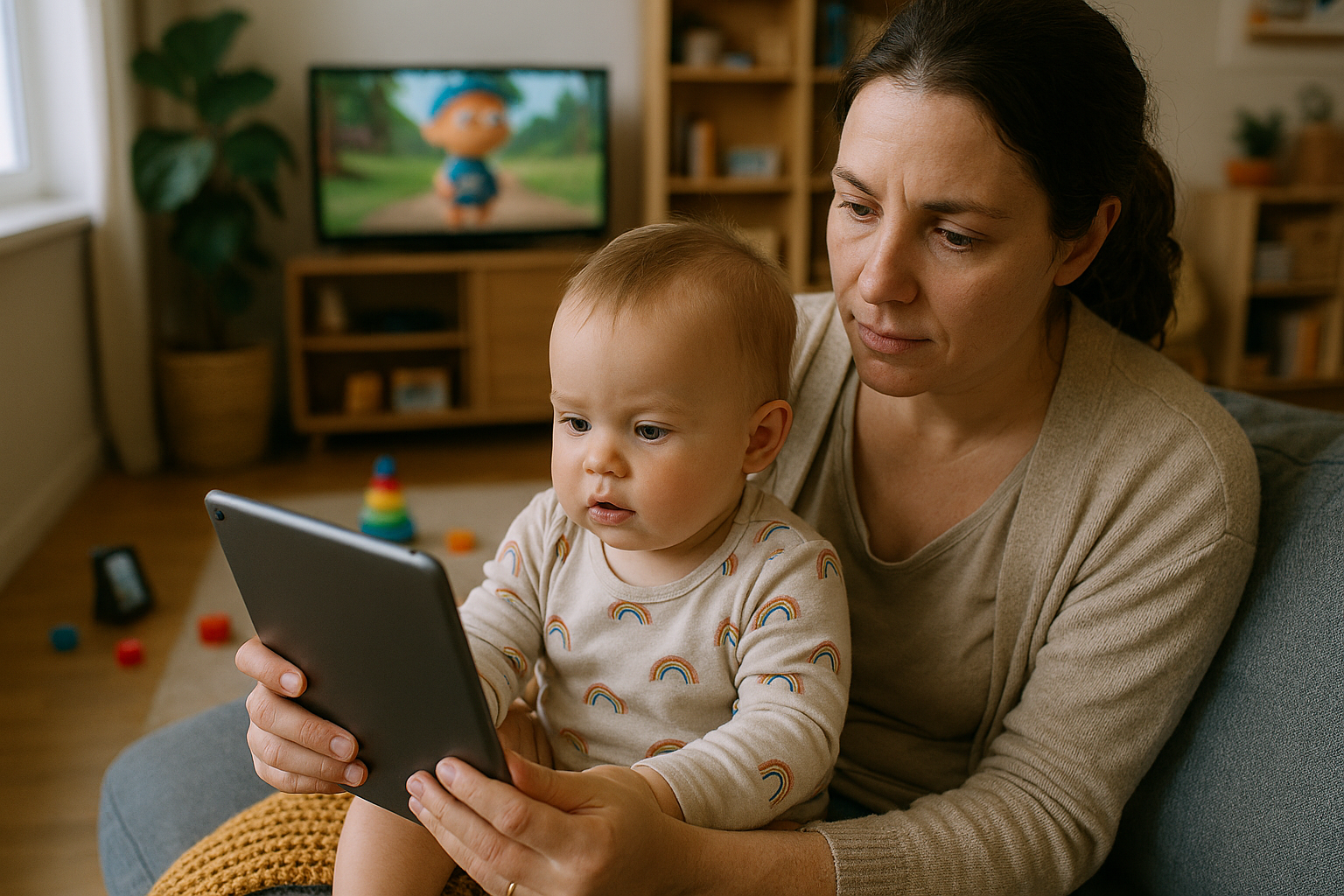
The digital parenting dilemma that’s keeping millions of parents awake at night just got more complicated. In 2025, kids are averaging 21 hours of screen time per week – more than double what parents think is healthy! 😱 If you’re feeling overwhelmed by managing your child’s relationship with technology, you’re definitely not alone.
The Reality Check: Where We Stand in 2025 📊
Let’s start with some eye-opening statistics that might surprise you. According to recent research from Lurie Children’s Hospital, 81% of children under 13 now have their own device, and more than half (59%) began using screens by age three. Even more concerning? Parents believe nine hours per week is ideal, but in reality, kids are clocking in 21 hours.
Here’s what’s really happening in homes across America:
- 49% of parents rely on screen time daily to help manage parenting responsibilities
- 1 in 4 parents use screens because they can’t afford childcare
- 34% turn to screens when they can’t find childcare
- 28% give in to screen time multiple times per week to avoid meltdowns
Bottom line: Screen time isn’t just an entertainment issue anymore – it’s become a survival tool for busy families. The question isn’t whether to use screens, but how to use them wisely! 🎯
Age-by-Age Guidelines That Actually Make Sense 👶➡️🧒➡️👦
Babies Under 18 Months: The “No Screen” Zone 🚫📺
The research is crystal clear here: zero screen time, except for video chatting with family or friends. Your baby’s brain is developing at lightning speed, and real-world interactions are crucial for healthy development.
What to do instead:
- Sing songs and make funny faces 🎵
- Play peek-a-boo and pat-a-cake
- Read colorful board books together
- Take walks and narrate what you see
Toddlers (18 months – 2 years): Quality Over Quantity 🌟
If you must introduce screens, keep it super limited and always watch together. Co-viewing shows with them, answering questions and encouraging conversations about the program’s content makes all the difference.
Pro tip: Choose educational content from PBS Kids or similar programs designed for this age group. And remember – they learn more from watching YOU than any screen!
Preschoolers (2-5 years): The Sweet Spot Hour ⏰
The American Academy of Pediatrics (AAP) recommends no more than one hour of screen time per day for children 2 to 5 years old. This is where you can start introducing educational apps and shows that teach letters, numbers, and social skills.
Best practices:
- Watch together and ask questions: “What color is that?” “Can you count the animals?”
- Choose high-quality educational content
- Set consistent times for screen use
- Make it interactive, not passive
School-Age Kids (6-12 years): Balance is Everything ⚖️
There’s no magic number for older kids, but the focus shifts to balance. Focus on setting consistent limits and ensuring that screen time doesn’t interfere with sleep, physical activity, and other important activities.
What matters most:
- Homework comes before entertainment
- No screens during family meals
- No devices in bedrooms
- Weekend limits can be more flexible
Teens (13+ years): Collaboration Over Control 🤝
For teenagers, work with your teen to establish clear boundaries and a family plan that defines how long they should be using screens, where they can use screens and which types of content they can consume.
Smart strategies:
- Involve them in creating family media rules
- Focus on content quality, not just quantity
- Monitor social media exposure carefully
- Prioritize 8-10 hours of sleep
The Science: What Screen Time Actually Does to Kids’ Brains 🧠
The Good News First! ✅
Not all screen time is created equal. High-quality educational content can actually help kids learn language, develop problem-solving skills, and even improve creativity when used appropriately.
The Concerning Reality 😰
However, excessive screen time has been linked to some serious issues:
Physical Health Problems:
- The more TV and video your child watches, the greater his or her risk is of becoming overweight
- Sleep disruption from blue light exposure
- Eye strain and vision problems
Mental Health Concerns: Recent research shows that after 1 h/day of use, more hours of daily screen time were associated with lower psychological well-being, including less curiosity, lower self-control, more distractibility. Among teens using screens 7+ hours daily, they were more than twice as likely to ever have been diagnosed with depression.
Behavioral Challenges: Excessive screen usage has detrimental effects on social and emotional growth, including a rise in the likelihood of obesity, sleep disorders, and mental health conditions including depression and anxiety.
The Vicious Cycle: Here’s what’s really concerning – screen time may be both a cause and a symptom of behavioral and emotional problems in children. Kids act out, parents give them screens to calm down, but this prevents them from learning emotional regulation skills, leading to more behavioral issues!
The 5 C’s Framework: Your Action Plan 🎯
The American Academy of Pediatrics created an easy-to-remember framework called the “5 C’s” that actually works:
1. Content 📚
Quality matters more than quantity! Choose educational, age-appropriate programs over mindless entertainment.
2. Context 🏠
Where and when screens are used matters. Family meal times should be screen-free zones, and bedrooms should never have TVs or tablets.
3. Connection 💕
Co-viewing shows with them, answering questions and encouraging conversations about the program’s content transforms passive watching into active learning.
4. Crowding Out 🚫
Make sure screens aren’t replacing essential activities like sleep, physical play, family time, or homework.
5. Calm 😌
CHLA experts also recommend turning off screens an hour before bed and removing phones, tablets, computers, TVs and any other electronics from your child’s bedroom at night.
Top Apps and Tools That Actually Help Parents 🛠️
Managing screen time in 2025 is easier than ever with the right tools. Here are the apps that parents swear by:
Best Overall: Qustodio ⭐
Lets you set up a daily screen time allowance for kids and teens in increments of 15 minutes and restrict specific time periods across all devices. Works on Android, iOS, Chromebook, Kindle, Windows, and macOS.
Best Free Option: Google Family Link 💰
Perfect for families on a budget, though it has limitations compared to paid options.
Best for Comprehensive Protection: Norton Family 🛡️
Norton Family excels in providing real-time alerts and real-time protection, especially if you’re already using Norton security products.
Best for Multiple Devices: FamilyTime 📱
Over 4 million parents worldwide trust the FamilyTime parental monitoring app for its integrated screen time limits, digital safety, and parenting tools.
Built-in Options:
- Apple Screen Time: Set parental controls with Content & Privacy Restrictions directly on iOS devices
- Android Digital Wellbeing: Free built-in controls for Android users
Creating Screen-Free Magic: Alternative Activities Kids Actually Love 🎨
The secret to reducing screen time isn’t just taking devices away – it’s giving kids something better to do! Here are activities that consistently work:
Outdoor Adventures 🌳
Research from New Zealand shows that spending time around the color green — from walks outside to plants in the classroom — can help reverse the negative effects of screen time.
Try these:
- Neighborhood scavenger hunts
- Backyard camping adventures
- Nature photography with a real camera
- Gardening projects
Creative Projects 🎨
- Building forts with blankets and furniture
- Cooking simple recipes together
- Art projects using recyclable materials
- Starting a family journal
Physical Activities ⚽
- Dance parties in the living room
- Bike rides around the neighborhood
- Indoor obstacle courses
- Learning new sports or games
Social Connection 👫
- Board game tournaments
- Storytelling sessions
- Building puzzles together
- Having friends over for non-screen playdates
Setting Boundaries That Stick: Practical Implementation 🎯
Start with Family Rules 📋
Create a family media plan together. The AAP Family Media Plan can help families set these priorities together. Include everyone in the process so kids feel involved, not controlled.
Tech-Free Zones and Times 🚫📱
- No devices during meals
- No screens in bedrooms
- No screens one hour before bedtime
- Weekend morning screen-free time
Model Good Behavior 👨👩👧👦
Parents should attempt to model positive phone habits and develop a family media plan to ensure their children know what behavior is acceptable when it comes to their devices. Kids learn more from what you DO than what you SAY!
Gradual Changes Work Best 🐌
Don’t go cold turkey! Gradually reduce screen time by 15-30 minutes per week until you reach your target. Sudden changes often lead to major battles.
The Technology Connection: Choosing the Right Devices 💻📱
While managing screen time, the choice of devices and technology setup matters too. If you’re considering new devices for your family, check out our comprehensive guides on Chromebook vs Windows Laptop to understand which might be better for your child’s educational needs.
For families dealing with older devices that might be contributing to longer screen times due to poor performance, our guide on Why Your Computer Keeps Crashing and How to Fix It can help optimize your family’s tech setup.
And if you’re torn between different smartphone options for older kids, our detailed Android vs iPhone comparison can help you make an informed decision that includes parental control considerations.
Dealing with Resistance: When Kids Push Back 😤
Let’s be honest – implementing screen time limits often leads to meltdowns, arguments, and guilt. Here’s how to handle the inevitable resistance:
Expect the Storm ⛈️
It may provoke kicking and screaming in the moment, but it will likely lead to better mental health in the long run. Remember, you’re the parent, and short-term discomfort leads to long-term benefits.
Stay Consistent 🎯
The biggest mistake parents make is giving in “just this once.” Consistency is everything when it comes to building new habits.
Offer Choices 🤔
Instead of “no more screens,” try “would you like to do arts and crafts or go to the park?” Give them agency within your boundaries.
Use Timers ⏲️
Visual timers help kids prepare for transitions. Give 10-minute, 5-minute, and 1-minute warnings before screen time ends.
Celebrate Success 🎉
Acknowledge when they follow screen time rules without arguments. Positive reinforcement works better than constant correction.
What’s Working for Real Families in 2025 👨👩👧👦
Here are strategies that actual parents report success with:
The “Earn Your Screen Time” System 💪
Kids complete chores, homework, or physical activity before earning screen time. This creates positive associations and ensures other priorities are met first.
Weekend Screen Banking 🏦
Some families allow kids to “save up” unused weekday screen time for longer weekend sessions. This teaches delayed gratification and planning skills.
The Family Challenge 🏆
Make reducing screen time a family competition. Track everyone’s progress and celebrate milestones together.
Screen-Free Sunday Mornings ☀️
Many families report that making Sunday mornings completely screen-free creates natural family bonding time and sets a positive tone for the week.
Special Considerations for Different Family Situations 🏠
Single Parents 👤
If you’re managing everything alone, don’t feel guilty about using screens strategically. The key is being intentional rather than defaulting to screens automatically.
Working from Home 💻
When you need focused work time, choose high-quality educational content over mindless entertainment. Consider rotating between different activities throughout the day.
Multiple Kids Different Ages 👶👧👦
Create different rules for different age groups, but enforce them consistently. Older kids can help supervise younger siblings during screen-free activities.
Special Needs Children 🌟
Some children may benefit from modified approaches. Work with your child’s healthcare team to create appropriate guidelines that support their specific needs.
Looking Ahead: Screen Time Trends for 2025 and Beyond 🔮
As we move through 2025, several trends are shaping how families approach screen time:
AI-Powered Parental Controls 🤖
New tools are emerging that use artificial intelligence to automatically detect inappropriate content and adjust restrictions based on your child’s behavior patterns. For insights into how AI is transforming various aspects of technology, check out our Ultimate Guide to AI Tools & Tutorials for Cloud Professionals.
Virtual Reality Considerations 🥽
As VR becomes more accessible, parents need new strategies for managing immersive experiences that feel different from traditional screen time.
Educational Technology Integration 📚
Schools are incorporating more digital learning tools, making the line between educational and entertainment screen time increasingly blurred.
Mental Health Awareness 🧠
The conversation around children’s screen time has evolved beyond “time limits.” In 2025, parents are navigating a complex digital relationship with screens serving as education tools, entertainment, and even stand-in babysitters during busy moments.
Data Privacy and Safety: Protecting Your Family Online 🔒
Managing screen time also means managing digital safety. With increased connectivity comes increased risk. Consider implementing:
Strong Privacy Settings 🛡️
Review and update privacy settings on all apps and platforms your children use regularly.
Regular Digital Check-ins 💬
Have ongoing conversations about what your kids are seeing and experiencing online.
Cybersecurity Education 🎓
Teach age-appropriate lessons about online safety, password protection, and recognizing scams. Our guide on Cybersecurity in the Cloud offers valuable insights for families navigating digital security.
When to Seek Professional Help 🏥
Sometimes, screen time issues require professional intervention. Consider consulting your pediatrician or a child psychologist if you notice:
- Extreme tantrums when screen time ends
- Complete withdrawal from non-screen activities
- Sleep problems that don’t improve with screen time reduction
- Academic performance declining significantly
- Social isolation from family and friends
- Physical symptoms like headaches or eye problems
The Bottom Line: What Actually Works 🎯
After analyzing thousands of studies, expert recommendations, and real family experiences, here’s what actually works for managing kids’ screen time in 2025:
Quality trumps quantity every time. Rather than setting a guideline for specific time limits on digital media use, we recommend considering the quality of interactions with digital media and not just the quantity.
Consistency beats perfection. It’s better to have slightly flexible rules that you stick to than rigid rules you constantly break.
Family involvement is crucial. Screen-time boundaries are most effective when the whole family collaborates on a plan.
Start early, but it’s never too late. Whether your child is 2 or 12, implementing healthy screen habits will benefit them long-term.
Focus on replacement, not restriction. Simply taking screens away doesn’t work. You need engaging alternatives that kids actually want to do.
Your Action Plan: Getting Started This Week 📅
Ready to make positive changes? Here’s your step-by-step action plan:
Week 1: Assessment 📊
- Track current screen time for all family members
- Identify problem areas and triggers
- Notice when screens are used as emotional regulation tools
Week 2: Planning 📝
- Create your family media plan together
- Choose appropriate parental control apps
- Set up tech-free zones in your home
Week 3: Implementation 🚀
- Start with one new rule (like no screens during dinner)
- Introduce alternative activities gradually
- Begin consistent bedtime screen cutoffs
Week 4: Adjustment ⚙️
- Evaluate what’s working and what isn’t
- Make necessary adjustments to your plan
- Celebrate successes and learn from challenges
Resources for Continued Success 📚
Free Resources:
- American Academy of Pediatrics Family Media Plan
- Common Sense Media age-based ratings
- Your pediatrician’s guidance and support
Recommended Apps:
- Qustodio (comprehensive paid option)
- Google Family Link (free basic controls)
- Apple Screen Time (built-in iOS controls)
- FamilyTime (budget-friendly premium features)
Educational Content Sources:
- PBS Kids
- Khan Academy Kids
- National Geographic Kids
- Scratch programming for older kids
Final Thoughts: You’ve Got This! 💪
Managing screen time in 2025 feels overwhelming because it IS complex. We’re the first generation of parents navigating this digital landscape, and there’s no perfect playbook. What matters most is that you’re being intentional about your family’s relationship with technology.
Remember: 49% of parents rely on screen time every day to help manage parenting responsibilities. You’re not alone in this challenge, and using screens strategically doesn’t make you a bad parent – it makes you a realistic one!
The goal isn’t to eliminate screens entirely but to help your children develop a healthy, balanced relationship with technology that will serve them well throughout their lives. Every small step you take toward more intentional screen use is a victory worth celebrating! 🎉
Start small, stay consistent, and remember that progress is more important than perfection. Your kids are lucky to have a parent who cares enough to think deeply about these issues. Now go put that phone down and give them a hug! 🤗
What strategies have worked best for your family? Share your screen time success stories and challenges in the comments below. Together, we can help each other navigate this digital parenting journey!