
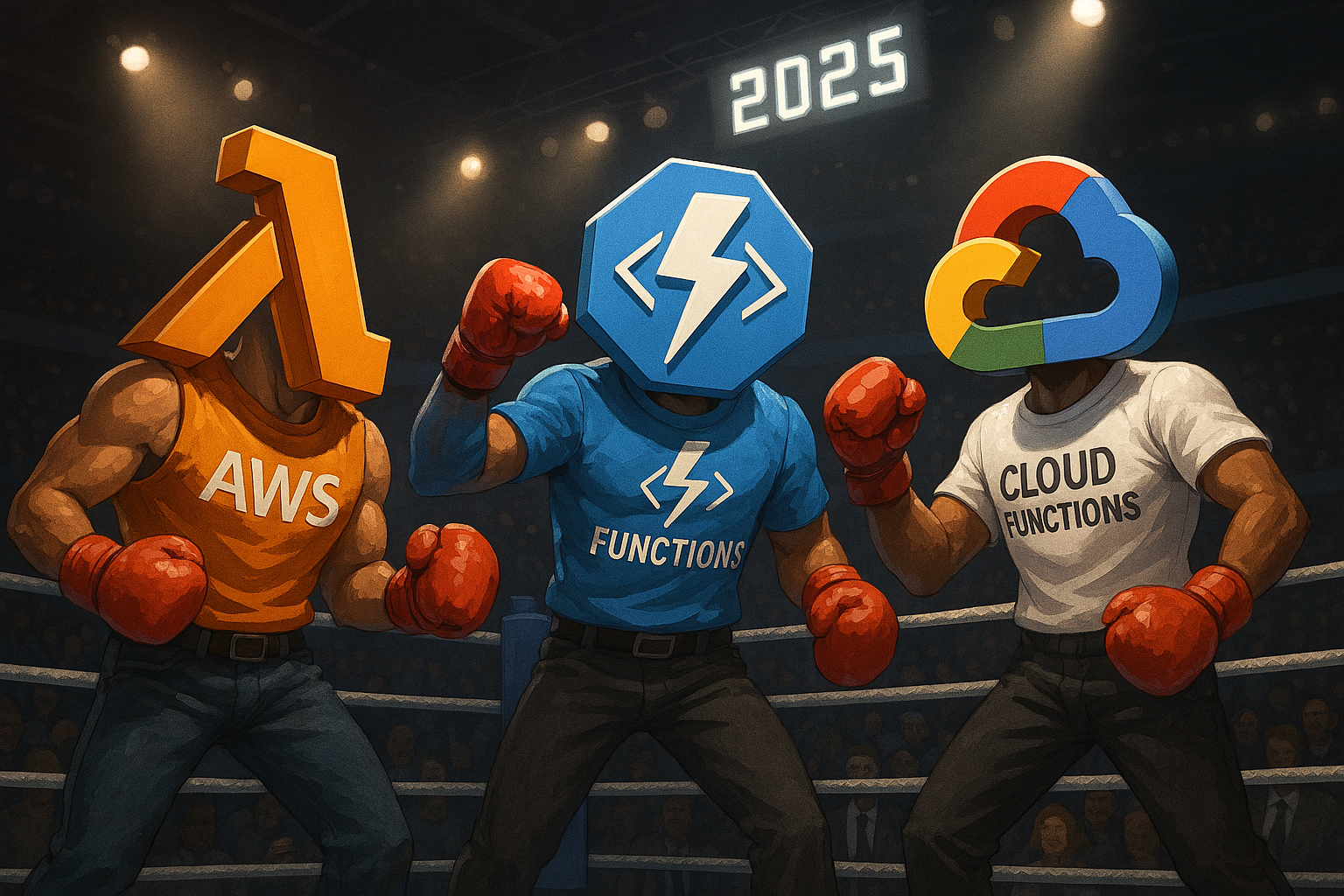
AWS Lambda vs Azure Functions vs Google Cloud Functions: The Ultimate 2025 Serverless Battle 🚀
The serverless revolution has transformed how developers build and deploy applications, but choosing the right platform can make or break your project’s success. With AWS Lambda pioneering the space in 2014, Microsoft Azure Functions catching up with enterprise-grade features, and Google Cloud Functions bringing Google’s infrastructure expertise to the table, the competition has never been fiercer.
If you’re drowning in endless comparisons and technical jargon, this comprehensive guide will cut through the noise and give you exactly what you need to make the right choice for your serverless computing needs in 2025. We’ve analyzed performance benchmarks, pricing models, real-world use cases, and insider secrets to bring you the most complete comparison available.
Why Serverless Computing is Taking Over in 2025 💡
Serverless computing isn’t just another tech buzzword – it’s fundamentally changing how businesses approach application development. FaaS has truly been a game-changer: it considerably accelerated the ability to deploy complex backend services and democratized application development. Instead of managing complex infrastructure, developers can now focus entirely on writing code while cloud providers handle the heavy lifting.
The numbers speak for themselves. Gartner estimates that between 2020 and 2025, 20% of organizations globally will migrate to serverless computing. This massive shift represents billions of dollars in infrastructure costs being redirected from server management to actual business value.
But here’s what most articles won’t tell you: not all serverless platforms are created equal. The platform you choose today will impact your development velocity, operational costs, and scaling capabilities for years to come. That’s why getting this decision right is absolutely crucial.
AWS Lambda: The Serverless Pioneer That Still Leads 🏆
AWS Lambda launched in 2014 and fundamentally changed the cloud computing landscape. AWS Lambda supports a wide range of programming languages, including Node.js, Python, Java, C#, Go, Ruby, and more, making it the most versatile option for development teams with diverse skill sets.
What Makes AWS Lambda Special
AWS Lambda is a serverless computing platform provided by Amazon Web Services (AWS) that lets developers run code without provisioning or managing servers. The service automatically handles scaling, security patches, and infrastructure management, allowing developers to focus purely on business logic.
Key Strengths:
- Mature Ecosystem: Lambda functions can interact with other services on the AWS cloud or elsewhere in numerous ways
- Superior Performance: From network testing, GCF shows a slightly slower time used before requests are responded (176.80 ms) compared to Lambda (117.16 ms)
- Broad Language Support: Native support for JavaScript, Python, Java, Go, C#, Ruby, and PowerShell
- Advanced Features: AWS now offers “provisioned concurrency” as an approach to eliminate cold starts with Lambda
AWS Lambda Pricing Breakdown
AWS provides 1 million free requests per month and charges based on execution time and memory consumption. AWS Lambda now charges in 1ms units, saving customers overage on workloads that only run for milliseconds, making it extremely cost-effective for short-running functions.
Real-World Cost Example: A retail company implemented a serverless architecture for their flash sales event, processing 50 million requests in 24 hours. This represented a 70% cost reduction compared to their previous provisioned infrastructure.
When AWS Lambda Wins
AWS Lambda is your best bet when you need:
- Maximum ecosystem integration with AWS services
- Predictable, low-latency performance
- Support for multiple programming languages
- Enterprise-grade security and compliance features
Looking to optimize your cloud computing costs or need help with AWS EC2 instance selection? AWS Lambda integrates seamlessly with these services to create comprehensive solutions.
Azure Functions: The Enterprise Favorite 💼
Microsoft Azure Functions brings unique advantages, especially for organizations already invested in the Microsoft ecosystem. Azure Functions, compared to AWS Lambda and Google Cloud Functions, is more flexible and complex about how users deploy serverless functions as part of a larger workload.
Azure Functions’ Unique Advantages
Azure Functions users can deploy code directly on the Azure Functions service or run the software inside Docker containers. This flexibility allows for more complex deployment scenarios and better integration with existing container-based workflows.
Key Strengths:
- Deployment Flexibility: Direct deployment or Docker containers
- OS Choice: Azure Functions also offers the option to deploy functions to either Windows- or Linux-based servers
- Streamlined HTTP Integration: Azure and GCP have a much more streamlined HTTP integration compared to AWS
- Microsoft Ecosystem: Perfect integration with Office 365, Teams, and other Microsoft services
Azure Functions Pricing Structure
Azure offers 1 million executions and 400,000 GB-seconds in their free tier. Azure Functions now has per-millisecond billing, meaning it’s cheaper for event-driven applications.
Cost Advantage: Azure Functions has HTTP endpoint integration by default, and there is no additional charge for this integration, unlike AWS which requires API Gateway with separate billing.
Performance Considerations
While Azure Functions offers great features, there’s an important performance trade-off to consider. The cold start time on AWS Lambda is no more than 1-2 seconds. Because of the long cold start time, Azure Functions are inappropriate for functioning as APIs or high-frequency crons. However, you can avoid the cold start in Azure Functions by switching to the Premium or App Service plans.
When Azure Functions Wins
Choose Azure Functions when you:
- Are already using Microsoft technologies
- Need Docker container support
- Want built-in HTTP triggers without extra costs
- Require Windows-specific functionality
For businesses managing hybrid cloud environments, check out our Microsoft Office vs Google Workspace comparison to understand how Azure Functions fits into broader productivity ecosystems.
Google Cloud Functions: The Data Processing Powerhouse 🔥
Google Cloud Functions leverages Google’s world-class infrastructure and expertise in data processing. Google Functions can be integrated to help in developing serverless applications with particularly strong capabilities in real-time data analysis and machine learning workflows.
Google Cloud Functions’ Strengths
Google Cloud Functions is a scalable, event-driven service that runs code in response to events and automatically manages the underlying compute resources. The platform excels at integration with Google’s ecosystem of services.
Key Advantages:
- Generous Free Tier: Google Cloud gives you 2 million invocations free per month
- Data Processing Excellence: Superior integration with BigQuery, Pub/Sub, and AI services
- Container Support: Google Cloud Functions supports languages such as Node.js, Python, Go, and Java, with the ability to use custom runtimes through Docker containers
- Simplified HTTP Integration: No separate API gateway required
Performance and Limitations
While Google Cloud Functions offers strong capabilities, it has some limitations. Google supports only JavaScript (fully supported), Python 3.7 or Go 1.13 computer languages. Other languages are not supported yet, though this has improved with custom runtime support.
Performance Benchmarks: From the result, AWS Lambda is faster than Google Cloud Function. The throughput of AWS Lambda is 1.02 million executions per second and the throughput of Google Cloud Function is around 0.9 million executions per second.
Pricing Model
Google Cloud Functions is priced a bit differently. This includes the execution time, number of invocations, and how many resources you procure for the function. You can access all Cloud Platform Products worth $300 free of cost for 90 days.
When Google Cloud Functions Wins
Google Cloud Functions is ideal when you:
- Need heavy data processing and analytics
- Work primarily with Python, Node.js, or Go
- Want the most generous free tier
- Are building AI/ML applications
Interested in leveraging AI for your business? Our guide on best free AI tools for everyday users shows how these serverless platforms can power intelligent applications.
Head-to-Head Performance Comparison 📊
Let’s cut through the marketing fluff and look at actual performance data that matters for your applications.
Cold Start Performance
Cold starts are the Achilles heel of serverless computing. Here’s how each platform performs:
- AWS Lambda: Cold start time is no more than 1-2 seconds
- Azure Functions: Cold starts can affect the performance of FaaS workloads and it appears to affect the Azure platform more than its two competitors
- Google Cloud Functions: If minimizing cold start times is critical, Google Cloud Functions might be preferable
Execution Speed and Throughput
Real-world performance tests reveal significant differences: The throughput of AWS Lambda is 1.02 million executions per second and the throughput of Google Cloud Function is around 0.9 million executions per second.
Scalability and Concurrency
AWS Lambda, Google Cloud Functions, and Azure Functions can all automatically scale to meet the demands of incoming requests. However, the scaling behavior differs:
- AWS Lambda: Scales to 1000 concurrent executions by default (can be increased)
- Azure Functions: Dynamic scaling based on demand with different limits for different plans
- Google Cloud Functions: For extremely high concurrency needs, you might need to consider the limits of both platforms
If you’re building applications that require extensive network troubleshooting capabilities, understanding these scaling patterns becomes crucial for maintaining performance under load.
Real-World Pricing Battle: Who Actually Costs Less? 💰
Pricing in the serverless world isn’t straightforward. Each platform has hidden costs that can dramatically impact your monthly bill.
Free Tier Comparison
- AWS Lambda: AWS provides 1 million free requests per month and 400,000 GB-secs per month
- Azure Functions: Azure offers 1 million executions and 400,000 GB-seconds
- Google Cloud Functions: Google Cloud gives you 2 million invocations – the most generous free tier
Hidden Costs That Kill Budgets
Beyond the basic execution charges, you’ll encounter costs for: API Gateway or equivalent services for HTTP triggers. Here’s where it gets expensive:
AWS Lambda Hidden Costs:
- AWS charges additional fees for data transfers between AWS Lambda and its storage services if the data moves between different cloud regions
- API Gateway costs for HTTP endpoints
- AWS also charges higher rates for Provisioned Concurrency in Lambda
Azure Functions Advantages:
- Inbound Traffic is Now Free: Azure no longer charges for incoming traffic
- Built-in HTTP triggers with no additional gateway costs
- Reduced Outbound Data Fees: As much as 10% lower prices for inter-region traffic
Google Cloud Functions Benefits:
- With Azure Functions and Google Cloud Functions, inbound data transfers are always free
- Most generous free tier for getting started
- Simple, predictable pricing model
Real-World Cost Scenario
When considering serverless costs with 10 million HTTP requests, each lasting an average of 200 milliseconds and an outbound data size of 25 kilobytes, the differences become significant. AWS might require API Gateway costs, while Azure and Google include HTTP integration.
Planning to optimize your serverless costs? Check out our cloud migration strategy guide for comprehensive cost optimization approaches.
Programming Language Support: Which Platform Speaks Your Language? 👨💻
Language support can be a deal-breaker for many development teams. Here’s the complete breakdown:
AWS Lambda Language Support
AWS Lambda supports a broader range of programming languages, including JavaScript, Python, Java, Go, C#, and Ruby, enabling developers to use their preferred language seamlessly. Plus, AWS Lambda does this through custom runtimes for unsupported languages.
Azure Functions Language Support
Azure Functions also supports popular languages like C#, JavaScript, Python, and Java but has expanded its support for languages like TypeScript and PowerShell. Azure Functions uses custom handlers for additional language support.
Google Cloud Functions Language Support
Google Cloud Functions natively supports Node.js, Python, Go, and Java. Google Cloud Functions doesn’t provide an official method for executing functions written in languages other than those it directly supports.
Language Support Winner: AWS Lambda takes the crown with the broadest native support and the most flexible custom runtime system.
For developers working on AI-powered applications, language support becomes especially important when integrating machine learning libraries and frameworks.
Integration and Ecosystem: The Real Game Changer 🔗
The true power of serverless platforms lies not in isolation, but in how well they integrate with other services. This is where the three platforms show their biggest differences.
AWS Lambda Integration Ecosystem
Lambda functions can interact with other services on the AWS cloud or elsewhere in numerous ways. The AWS ecosystem includes over 200 services, from simple storage (S3) to advanced AI services (SageMaker).
AWS Integration Highlights:
- Seamless integration with AWS EC2 instances
- Direct connection to DynamoDB, RDS, and Redshift
- Built-in support for CloudWatch monitoring and logging
- Integration with AWS Step Functions for complex workflows
Azure Functions Integration Power
Azure Functions seamlessly integrates with various Azure services like Azure Storage, Cosmos DB, and Event Grid, enabling developers to build comprehensive solutions. For Microsoft shops, this integration is unmatched.
Azure Integration Benefits:
- Native Office 365 and Teams integration
- Seamless connection to Azure Active Directory
- Built-in integration with Azure DevOps for CI/CD
- Direct connection to Power Platform for low-code solutions
Google Cloud Functions Integration Strengths
Cloud Functions seamlessly integrates with various Google Cloud services such as Cloud Storage, Pub/Sub, and Firestore. Google’s strength lies in data processing and machine learning integrations.
Google Cloud Integration Advantages:
- Superior BigQuery integration for data analytics
- Native AI/ML service connections
- Excellent Pub/Sub messaging integration
- Strong Kubernetes integration for hybrid workloads
Looking to understand the broader cloud ecosystem? Our AWS vs Azure vs Google Cloud comparison provides deep insights into how these integrations fit into overall cloud strategies.
Security and Compliance: Protecting Your Serverless Applications 🔐
Security in serverless environments requires a different approach than traditional applications. Each platform offers distinct security features and compliance certifications.
Enterprise Security Features
AWS Lambda Security:
- Integrates with AWS Identity and Access Management (IAM) to manage access control and permissions, ensuring secure execution of functions
- VPC connectivity for isolated network environments
- AWS CloudTrail for audit logging
- Integration with AWS Secrets Manager
Azure Functions Security:
- Azure Active Directory integration
- Managed Service Identity for secure service-to-service authentication
- Azure Key Vault integration for secrets management
- Built-in DDoS protection
Google Cloud Functions Security:
- Google Cloud IAM for fine-grained access control
- Cloud Security Command Center for threat detection
- Integration with Google Cloud KMS for encryption
- VPC connectivity for network isolation
For businesses handling sensitive data, understanding cybersecurity in the cloud becomes essential when choosing a serverless platform.
Deployment and DevOps: Getting Your Functions to Production 🚀
The ease of deployment and DevOps integration can significantly impact your development velocity. Each platform takes a different approach to deployment and continuous integration.
Deployment Model Differences
AWS Lambda deploys all functions in the Lambda environment on servers that run Amazon Linux. Lambda functions can interact with other services on the AWS cloud or elsewhere in numerous ways, but function deployment is limited to the Lambda service.
Google Cloud Functions requires functions to be stored in Google’s Container Registry using container images. Functions must also be executed as containers.
Azure Functions users can deploy code directly on the Azure Functions service or run the software inside Docker containers, providing the most flexibility.
CI/CD Integration
Each platform offers different levels of CI/CD integration:
AWS Lambda:
- AWS CodePipeline and CodeDeploy integration
- GitHub Actions support
- Terraform and CloudFormation support
- AWS SAM for serverless application management
Azure Functions:
- Azure DevOps native integration
- GitHub Actions support
- ARM templates and Bicep support
- Visual Studio and VS Code integration
Google Cloud Functions:
- Google Cloud Build integration
- GitHub and GitLab support
- Deployment Manager support
- Cloud SDK for command-line deployment
Need help setting up your development environment? Our guide on setting up dual monitors for development can boost your productivity when working with these platforms.
Use Case Analysis: Which Platform for Which Scenario? 🎯
Different serverless platforms excel in different scenarios. Here’s a practical guide to choosing the right platform based on your specific use case.
Real-Time Data Processing
Data, files, and stream processing are done in real-time using the Google platform. Along with this detailed sentiment analysis, evaluation of videos and images is provided.
Best Choice: Google Cloud Functions for data-heavy applications, AWS Lambda for general-purpose real-time processing.
Web Application Backends
Lambda functions can serve as backend logic for web and mobile applications: API Backend: Use AWS API Gateway to trigger Lambda functions, providing a scalable and cost-effective backend for web and mobile apps.
Best Choice: AWS Lambda for complex APIs, Azure Functions for Microsoft-stack applications, Google Cloud Functions for simple APIs with data integration.
IoT and Event Processing
Azure Functions can process events generated by IoT devices, allowing real-time monitoring, data analysis, and triggering appropriate actions.
Best Choice: Azure Functions for Windows IoT ecosystems, AWS Lambda for complex IoT workflows, Google Cloud Functions for data analytics.
Chatbots and AI Applications
Azure Functions can be used to build serverless chatbot applications, handling user interactions and integrating with messaging platforms or AI services.
Best Choice: Azure Functions for Microsoft Teams bots, Google Cloud Functions for AI/ML-heavy chatbots, AWS Lambda for enterprise chatbots.
Interested in building AI-powered applications? Check out our comprehensive guide on AI tools and tutorials for cloud professionals.
The 2025 Verdict: Which Platform Wins? 🏅
After extensive analysis of performance, pricing, features, and real-world usage, here’s the definitive verdict for 2025:
AWS Lambda: The All-Around Champion 🥇
Choose AWS Lambda if you:
- Need the most mature and feature-rich serverless platform
- Want the broadest language support and ecosystem integration
- Require predictable performance with minimal cold starts
- Are building enterprise-grade applications with complex requirements
- Need the most extensive documentation and community support
AWS Lambda, being at the forefront of serverless computing service, offers the broadest language support, deep integrations with a wide range of AWS services, and a proven track record of rapid scaling and performance.
Azure Functions: The Enterprise Integration King 🥈
Choose Azure Functions if you:
- Are heavily invested in the Microsoft ecosystem
- Need flexible deployment options with Docker support
- Want built-in HTTP integration without additional costs
- Require Windows-specific functionality
- Value tight integration with Office 365 and Azure services
Azure Functions provides a seamless integration with the Microsoft ecosystem and Azure services, making it an attractive choice for organizations already invested in the Azure cloud.
Google Cloud Functions: The Data Processing Specialist 🥉
Choose Google Cloud Functions if you:
- Are building data-intensive applications
- Need the most generous free tier for experimentation
- Want simple, predictable pricing
- Are focused on AI/ML applications
- Prefer Google’s approach to container-based execution
Google Cloud Functions, while offering a more limited language selection, integrates well with Google Cloud services and leverages Google’s expertise in container technology and serverless execution.
Making Your Final Decision: The Bottom Line ⚡
When it comes to comparing the FaaS offerings of the three major cloud providers, one thing is very obvious: they are extremely similar and comparable, both in terms of features and cost.
However, the devil, as they say, is in the details. Your choice should be based on:
- Existing Infrastructure: If you’re already on AWS, Azure, or Google Cloud, stick with your platform’s serverless offering
- Team Expertise: Choose the platform your team knows best
- Specific Requirements: Match platform strengths to your use case
- Long-term Strategy: Consider vendor lock-in and future flexibility
Future-Proofing Your Serverless Strategy 🔮
The serverless landscape is evolving rapidly. Here are the trends to watch:
- Edge Computing Integration: All three platforms are expanding edge capabilities
- AI/ML Integration: Serverless platforms are becoming AI-first
- Container Convergence: The line between serverless and containers is blurring
- Multi-cloud Strategies: Organizations are adopting platform-agnostic approaches
As workloads evolve and architectures mature, the best choice is often the one that aligns with your team’s strengths today while still letting you adapt tomorrow.
Your Next Steps: Getting Started Today 🎯
Ready to dive into serverless computing? Here’s your action plan:
- Start with a Proof of Concept: Use the free tiers to test your specific use case
- Benchmark Performance: Test with your actual workload patterns
- Calculate Total Cost of Ownership: Include hidden costs like API Gateway fees
- Plan for Scale: Consider how each platform handles your growth projections
- Build Team Expertise: Invest in training for your chosen platform
The serverless revolution is here to stay, and choosing the right platform now will set your organization up for success in the coming years. Whether you go with AWS Lambda’s maturity, Azure Functions’ enterprise integration, or Google Cloud Functions’ data processing power, the key is to start building and learning today.
Need help with your cloud computing journey? Our expert guides cover everything from basic networking troubleshooting to advanced AI implementations. The future of computing is serverless, and the time to embrace it is now! 🚀