
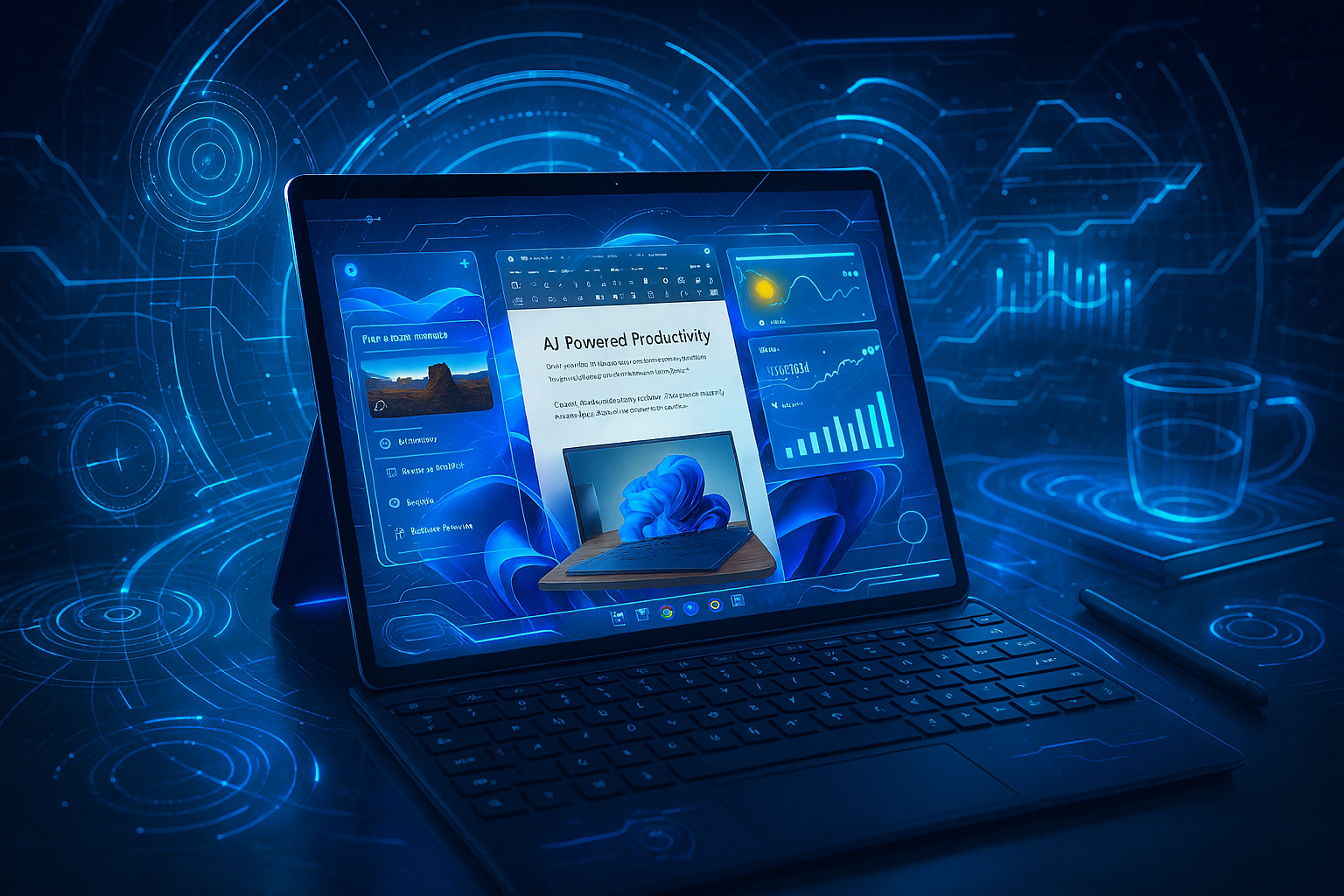
Microsoft Surface Pro 11 (October 2025): Your Ultimate Guide to the Game-Changing 2-in-1 Copilot+ PC 💻✨
The Microsoft Surface Pro 11 has completely revolutionized what we expect from a 2-in-1 device. With its October 2025 updates and new ARM processor technology, this isn’t just another tablet – it’s a productivity powerhouse that’s finally giving MacBooks a run for their money!
Whether you’re a creative professional, business executive, or tech enthusiast, the Surface Pro 11 represents everything Microsoft has been working toward for over a decade. Let’s dive deep into why this device is making waves across the tech industry.
What Makes the Microsoft Surface Pro 11 So Special?
The Microsoft Surface Pro 11 stands as Microsoft’s most ambitious 2-in-1 device yet. Released initially in June 2024 with continuous October 2025 updates, it marks a historic shift from traditional Intel processors to Qualcomm’s revolutionary Snapdragon X series chips. This transition has transformed the Surface Pro from a capable but flawed device into what many reviewers are calling “the best Surface Pro ever made.”
The device’s significance goes beyond just hardware improvements. It represents Microsoft’s first true Copilot+ PC in the Surface lineup, bringing advanced AI capabilities directly to the hardware level. With its Neural Processing Unit (NPU) delivering 45 trillion operations per second, this isn’t just about faster performance – it’s about fundamentally changing how we interact with our computers.
Revolutionary ARM Architecture: The Snapdragon X Elite Difference 🚀
The heart of the Surface Pro 11 beats with either the Snapdragon X Plus (10-core) or X Elite (12-core) processors. These aren’t just incremental upgrades – they represent a complete paradigm shift that addresses every major complaint users had with previous Surface devices.
Performance That Actually Delivers
Gone are the days of throttling and overheating that plagued Intel-based Surface devices. The Snapdragon X Elite delivers performance that rivals the MacBook Air M3 while maintaining cool, silent operation. In benchmarks, the Surface Pro 11 scores 2,780 on single-core and an impressive 14,327 on multi-core Geekbench 6 tests.
What’s particularly impressive is how this ARM processor handles everyday tasks. Web browsing feels instant, video calls are crystal clear, and even demanding applications like Photoshop run smoothly – something that was hit-or-miss on previous ARM-based Windows devices.
Battery Life That Finally Makes Sense
Here’s where the Surface Pro 11 truly shines. Microsoft claims up to 14 hours of video playback, and real-world testing confirms this isn’t marketing fluff. Users regularly report getting 10-12 hours of actual productivity work, including video calls, document editing, and web browsing. This is a massive improvement over previous generations that struggled to make it through a full workday.
The efficiency of the Snapdragon X architecture means you’re not constantly hunting for charging ports. For business professionals who live in airports and coffee shops, this battery life is nothing short of revolutionary.
AI Integration: Welcome to the Copilot+ PC Era 🤖
The Microsoft Surface Pro 11 isn’t just a computer with AI features tacked on – it’s built from the ground up as a Copilot+ PC. The dedicated NPU handles AI workloads locally, meaning your data stays private while enjoying lightning-fast AI assistance.
On-Device AI That Actually Works
Microsoft’s Copilot integration feels natural and genuinely helpful. The AI can help you find files using natural language, enhance your video calls with Windows Studio Effects, and even assist with creative tasks. Unlike cloud-based AI that requires constant internet connectivity, these features work offline.
The Click to Do feature lets you interact with any element on your screen using natural language, while Windows Recall (when enabled) creates a searchable timeline of everything you’ve done on your device. These aren’t gimmicky features – they’re genuine productivity enhancements that save time throughout your day.
Creative AI Tools
For creative professionals, the Surface Pro 11 offers AI-powered tools in familiar applications. The Paint app now includes Cocreator, which turns your sketches into polished artwork in real-time. Photos gets AI-powered editing capabilities, and the integration with third-party creative software continues to expand.
Display Excellence: LCD and OLED Options 📺
The Surface Pro 11 offers two distinct display options, each targeting different user needs and budgets.
Standard LCD: Solid Performance, Great Value
The base LCD model features a 13-inch, 2880×1920 resolution display with a 3:2 aspect ratio that’s perfect for productivity work. The 120Hz refresh rate makes scrolling buttery smooth, and the PixelSense technology ensures vibrant colors and sharp text.
While it’s “just” an LCD panel, the quality is exceptional. Colors are accurate, viewing angles are excellent, and the anti-reflective coating helps with outdoor visibility. For most users, this display provides everything they need at a reasonable price point.
OLED: Premium Visual Experience
For those willing to pay extra, the OLED option is breathtaking. The same 13-inch, 2880×1920 resolution takes on new life with perfect blacks, infinite contrast, and colors that pop off the screen. HDR content looks incredible, and the 120Hz refresh rate feels even smoother on OLED.
The OLED model is particularly appealing to creative professionals working with photos and videos, as the color accuracy and contrast make it easier to see exactly what your final output will look like.
Build Quality and Design: Premium Meets Practical 💎
Microsoft has refined the Surface Pro design to near-perfection with the 11th generation. The familiar kickstand returns with its 165-degree range of motion, providing incredible flexibility for different work scenarios.
Materials and Construction
The magnesium alloy body feels premium and durable while keeping weight to just 1.97 pounds (0.89kg). This is remarkably light for a device this powerful, making it genuinely comfortable to hold as a tablet for extended periods.
Microsoft has also improved repairability significantly. iFixit gave the Surface Pro 11 an 8/10 repairability score – a massive improvement over previous generations. Components are clearly marked, and official repair guides are available, making this one of the most serviceable premium tablets available.
Sustainability Focus
The Surface Pro 11 incorporates 72% recycled content in its enclosure, including 100% recycled aluminum alloy and rare earth metals. This commitment to sustainability doesn’t compromise performance or durability – it’s proof that premium devices can be environmentally responsible.
Business and Productivity Focus 💼
The Surface Pro 11 isn’t just a consumer device – it’s designed from the ground up with business users in mind. The enterprise features make it equally appealing to IT departments and individual professionals.
Security Features
Windows 11 Pro comes standard on business models, along with Microsoft Pluton TPM 2.0 for hardware-level security. Windows Hello facial recognition provides passwordless login, while the optional NFC reader enables badge-based authentication for enterprise environments.
BitLocker encryption and the removable SSD design allow for secure data management throughout the device lifecycle. IT departments can remotely manage devices, and the Surface Data Eraser provides secure data removal when needed.
Productivity Enhancements
The Surface Pro 11 supports up to three external displays, making it a true desktop replacement when docked. The USB4 ports provide fast data transfer and charging, while Wi-Fi 7 ensures the fastest possible wireless connectivity.
For professionals who need cellular connectivity, 5G models are available, providing internet access virtually anywhere. This is particularly valuable for sales professionals, consultants, and anyone who works outside traditional office environments.
Software and App Compatibility: The ARM Revolution 📱
One of the biggest concerns with ARM-based Windows devices has been software compatibility. The Surface Pro 11 addresses these concerns head-on with impressive results.
Native ARM Apps
Microsoft claims that 90% of user app time is now spent in ARM-native applications. Major applications like Chrome, Firefox, Photoshop, Illustrator, and Microsoft Office all run natively on ARM, delivering full performance without emulation overhead.
This native support extends to popular business applications, creative tools, and even many games. The experience feels just like a traditional x86 Windows device, but with better battery life and thermal performance.
Prism Emulation Layer
For applications that haven’t been updated for ARM, the new Prism emulation layer provides significantly better compatibility than previous Windows-on-ARM attempts. While there’s still a small performance penalty for emulated applications, most users won’t notice the difference in day-to-day use.
The compatibility situation continues to improve as more developers release ARM versions of their applications. Unlike the early days of Windows RT or even the Surface Pro X, software compatibility is no longer a major concern for most users.
Pricing and Value Proposition 💰
The Microsoft Surface Pro 11 starts at $999 for the base configuration with Snapdragon X Plus, 16GB RAM, and 256GB storage. This positioning makes it competitive with premium tablets while offering full PC functionality.
Configuration Options
- Base Model ($999): Snapdragon X Plus, LCD display, 16GB RAM, 256GB SSD
- Mid-Range ($1,499): Snapdragon X Elite, OLED display, 16GB RAM, 512GB SSD
- High-End ($2,099): Snapdragon X Elite, OLED display, 32GB RAM, 1TB SSD
These prices become more competitive when you consider that many comparable devices require expensive accessories to match the Surface Pro 11’s functionality. While the keyboard is sold separately, the overall value proposition remains strong.
Compared to Competitors
Against the iPad Pro, the Surface Pro 11 offers full desktop software compatibility, better connectivity options, and comparable build quality at similar price points. Compared to traditional laptops, it provides unique tablet functionality without sacrificing performance.
The best AI laptops under $1000 category is heating up, but the Surface Pro 11’s combination of AI capabilities, build quality, and versatility makes it stand out even at its premium price point.
Accessories: Completing the Experience 🎒
The Surface Pro 11 ecosystem includes several accessories that transform the device for different use cases.
Surface Pro Flex Keyboard
The new Flex Keyboard is a standout accessory that can function both attached and detached from the tablet. With its built-in battery providing up to 41 hours of use, it offers unprecedented flexibility for different work scenarios.
The keyboard features premium Alcantara material, precise key travel, and a large haptic touchpad. At $349 (or $449 with Surface Slim Pen), it’s expensive but transforms the tablet into a true laptop replacement.
Surface Slim Pen
The Surface Slim Pen provides natural writing and drawing experiences with 4,096 levels of pressure sensitivity. It charges wirelessly when stored in the keyboard’s pen storage tray, ensuring it’s always ready when inspiration strikes.
For creative professionals and note-takers, the pen experience rivals dedicated graphics tablets while offering the convenience of an integrated solution.
Real-World Performance: What Users Are Saying 📊
The Surface Pro 11 has received overwhelmingly positive reviews from both professional reviewers and real users. Common praise points include:
Performance Highlights
Users consistently report smooth performance in demanding applications. Video editors working with 4K footage, developers running multiple IDEs, and creative professionals using resource-intensive software all report excellent experiences.
The fanless design means silent operation even under load, something particularly appreciated by users coming from noisy Intel-based laptops.
Battery Life Success Stories
Real-world battery life consistently meets or exceeds Microsoft’s claims. Business travelers report making it through full days of meetings and presentations without needing to charge.
This reliability transforms how people work, reducing anxiety about finding power outlets and enabling true mobile productivity.
Potential Drawbacks and Limitations ⚠️
No device is perfect, and the Surface Pro 11 has some limitations worth considering:
Gaming Performance
While the Adreno GPU handles everyday tasks well, it’s not designed for serious gaming. Some games won’t run at all due to anti-cheat software compatibility issues, while others may run at reduced performance levels.
For users who need gaming performance, traditional x86 laptops or gaming-focused devices remain better choices.
Keyboard Cost
The separate keyboard purchase requirement continues to be controversial. While the Flex Keyboard is excellent, adding $349-$449 to the total cost affects the value proposition.
Third-party keyboard options exist, but they don’t offer the same integration and functionality as Microsoft’s official accessories.
Application Compatibility Edge Cases
While most software works well, some specialized business applications and older software may have compatibility issues. IT departments should test critical applications before large-scale deployments.
October 2025 Updates and Future-Proofing 🔮
Microsoft’s commitment to the Surface Pro 11 continues with regular updates and improvements. The October 2025 firmware updates included:
Performance Optimizations
Driver updates have improved graphics performance, battery optimization, and thermal management. These improvements demonstrate Microsoft’s commitment to long-term device support.
New AI Features
Microsoft continues rolling out new Copilot+ PC features, with enhanced voice control, improved natural language processing, and expanded AI assistance capabilities arriving through Windows Update.
Security Enhancements
Regular security updates ensure the device remains protected against emerging threats. The hardware-based security features provide a strong foundation that software updates continue to strengthen.
Comparison with Intel Options 🔄
Microsoft offers Intel-powered versions of the Surface Pro 11 for businesses that need maximum x86 compatibility. However, the ARM version offers compelling advantages:
Why ARM Is Usually Better
The ARM version offers superior battery life, quieter operation, and better thermal performance. For most users, these benefits outweigh any minor compatibility concerns.
The AI features are also more robust on the ARM version, as the Snapdragon X processors were designed specifically for AI workloads.
When Intel Makes Sense
Organizations with legacy software requirements or specific x86-only applications may prefer the Intel version. However, the performance and battery life trade-offs are significant.
The trend clearly favors ARM for new purchases, with software compatibility improving rapidly.
Who Should Buy the Surface Pro 11? 🎯
The Surface Pro 11 appeals to several specific user groups:
Business Professionals
The combination of full PC functionality, excellent battery life, and premium build quality makes it ideal for consultants, sales professionals, and executives who need a device that works anywhere.
Creative Professionals
The optional OLED display, Surface Slim Pen support, and powerful performance make it excellent for designers, photographers, and content creators who need color accuracy and precision.
Students and Academics
The versatility of tablet and laptop modes, combined with excellent battery life and note-taking capabilities, serves the diverse needs of modern students.
Technology Enthusiasts
Early adopters and tech enthusiasts will appreciate the cutting-edge ARM architecture, AI capabilities, and glimpse into the future of personal computing.
Setting Up Your Surface Pro 11: Pro Tips 💡
Getting the most from your Surface Pro 11 requires some initial setup and optimization:
Initial Configuration
Start with Windows Update to ensure you have the latest drivers and firmware. Enable Windows Hello for convenient and secure authentication.
Configure OneDrive for cloud storage integration, and consider upgrading to Microsoft 365 if you don’t already have it.
Productivity Optimization
Install ARM-native versions of your essential applications when available. Configure the Copilot+ AI features according to your privacy preferences – you can customize which features run locally versus in the cloud.
Set up your workspace with external monitors, keyboards, or other accessories as needed. The Surface Pro 11’s USB4 ports provide excellent expansion capabilities.
Security Best Practices
Enable BitLocker encryption for data protection, especially on business devices. Configure Windows Defender and ensure automatic updates are enabled.
For business users, work with your IT department to implement any required security policies and management systems.
Technical Comparisons and Benchmarks 📈
The Surface Pro 11’s performance metrics tell an impressive story:
CPU Performance
Geekbench 6 scores consistently show the Snapdragon X Elite matching or exceeding Intel Core i7 processors in multi-threaded workloads while consuming significantly less power.
The single-threaded performance is competitive with premium x86 processors, and the efficiency gains provide real-world benefits in battery life and thermal management.
Graphics Performance
While not gaming-focused, the integrated Adreno GPU handles creative workflows well. Video editing, photo processing, and light 3D work perform admirably.
For comparison with other productivity devices, check out our guide on how to set up dual monitors to maximize your Surface Pro 11’s display capabilities.
Battery Performance
Real-world battery testing consistently shows 10-14 hours of mixed usage, depending on display brightness, application load, and connectivity options.
This performance revolutionizes mobile productivity, enabling full-day work sessions without power anxiety.
The Surface Ecosystem Integration 🔗
The Surface Pro 11 works seamlessly with other Microsoft products and services:
Microsoft 365 Integration
The device includes Microsoft 365 apps optimized for ARM processors. Features like real-time collaboration, cloud sync, and AI-powered productivity tools work seamlessly.
For business users familiar with Microsoft Office vs Google Workspace, the Surface Pro 11’s tight integration with Microsoft’s ecosystem provides significant advantages.
Surface Accessories Ecosystem
The Surface Pro 11 works with a growing range of accessories, from docks to external displays to specialized input devices. This ecosystem approach provides flexibility for different work scenarios.
Cloud Services Integration
OneDrive integration, Microsoft Teams optimization, and cloud-based AI services create a cohesive experience across devices and locations.
Troubleshooting and Support 🔧
While the Surface Pro 11 is generally reliable, knowing how to address common issues can save time:
Common Issues and Solutions
Display issues can usually be resolved through driver updates or display settings adjustments. Battery problems often improve with power management optimization.
For connectivity issues, our guide on fixing no internet secured WiFi errors can help resolve common networking problems.
Microsoft Support Resources
Microsoft provides comprehensive support resources, including online documentation, community forums, and direct support options for business users.
The improved repairability means more issues can be resolved locally, reducing downtime and support costs.
Future Outlook and Recommendations 🌟
The Surface Pro 11 represents more than just another device launch – it’s a glimpse into the future of personal computing.
The ARM Revolution
The success of the Surface Pro 11 validates the ARM transition for Windows devices. Expect more manufacturers to follow Microsoft’s lead with ARM-based premium devices.
The software ecosystem will continue improving as more developers embrace ARM architecture, making future ARM devices even more compelling.
AI Integration Evolution
The Copilot+ PC category will expand with new AI features and capabilities. Early adopters of the Surface Pro 11 will benefit from this ongoing innovation through software updates.
For professionals interested in maximizing AI productivity, our guide on how to use ChatGPT for work provides excellent complementary strategies.
Competitive Landscape
The Surface Pro 11 sets a new benchmark that competitors must match. Expect similar ARM-based devices from other manufacturers, creating a more competitive and innovative market.
For context on the broader technology landscape, check out our analysis of the best tech gadgets of 2025 to see how the Surface Pro 11 fits into current trends.
Making the Purchase Decision 💳
Should you buy the Surface Pro 11? The answer depends on your specific needs:
Strong Buy Signals
If you need maximum portability, excellent battery life, cutting-edge AI features, and premium build quality, the Surface Pro 11 is hard to beat.
Business users who value integration with Microsoft’s ecosystem and need a device that works reliably in various environments will find it particularly appealing.
Consider Alternatives If
Gaming performance is important, you have extensive legacy x86 software requirements, or budget constraints make the total cost (including keyboard) prohibitive.
For users primarily interested in the latest smartphone technology, our comparison of Samsung Galaxy S25 Ultra vs iPhone 16 Pro Max might be more relevant.
Final Recommendation
The Microsoft Surface Pro 11 represents the culmination of over a decade of Surface development. It finally delivers on Microsoft’s original vision of a true laptop replacement in tablet form.
For most professional users, creative professionals, and technology enthusiasts, it’s an excellent choice that will provide years of reliable service and productivity enhancement.
The October 2025 updates have addressed early issues and added valuable features, making this an ideal time to consider the Surface Pro 11 for your next device upgrade.
Whether you’re transitioning from an older Surface, switching from a traditional laptop, or looking to consolidate multiple devices into one versatile solution, the Surface Pro 11 delivers the performance, reliability, and innovation you need to stay productive in today’s fast-paced world. 🚀
Looking to optimize your new Surface Pro 11 setup? Check out our guides on setting up a home office and coolest home office gadgets for productivity to create the perfect workspace around your new device.