
How to Set Up a Home Office on Any Budget (Desk Setup Guide) 🏠💻
Working from home has become the new normal for millions of professionals worldwide. Whether you’re a remote employee, freelancer, or entrepreneur, having a well-designed home office setup can dramatically impact your productivity, comfort, and overall work satisfaction. The good news? You don’t need to break the bank to create an efficient workspace that rivals any corporate office.
In this comprehensive guide, we’ll walk you through everything you need to know about setting up a home office on any budget – from essential equipment to smart money-saving strategies. Let’s transform your workspace into a productivity powerhouse! 🚀
Why Your Home Office Setup Matters More Than You Think 📈
Your home office isn’t just a place to work – it’s your command center for professional success. A well-designed workspace can:
- Boost productivity by up to 20% through proper ergonomics and organization
- Reduce stress and fatigue with comfortable furniture and good lighting
- Improve focus and concentration by minimizing distractions
- Enhance your professional image during video calls and meetings
- Save money long-term by preventing health issues from poor posture
Studies show that employees with comfortable, well-organized home offices report higher job satisfaction and better work-life balance. The investment you make in your workspace today will pay dividends in your career tomorrow.
Essential vs. Nice-to-Have: What You Actually Need 🎯
Before diving into specific budget tiers, let’s separate the must-haves from the nice-to-haves:
Absolute Essentials ✅
- Desk or work surface (can be a kitchen table initially)
- Comfortable chair with basic back support
- Adequate lighting (natural light or desk lamp)
- Reliable internet connection
- Computer/laptop suitable for your work needs
- Power strips and cable management for organization
Nice-to-Have Upgrades 🌟
- Ergonomic office chair with adjustable features
- Dedicated desk with storage drawers
- External monitor(s) for increased screen real estate
- Keyboard and mouse for laptop users
- Webcam and microphone for video conferencing
- Desk organizers and storage solutions
- Plants and decorative elements for ambiance
The $200 Budget Home Office Setup 💰
Starting with a tight budget? No problem! Here’s how to create a functional workspace for under $200:
Desk Solution ($50-80)
Skip the expensive desk and get creative with alternatives:
- IKEA Linnmon table top ($25) + Adils legs ($20) = Simple, effective desk
- Folding table from Walmart or Target ($40-60)
- TV tray table for ultra-compact spaces ($30-50)
- Kitchen table (free if you already have one)
Seating ($40-80)
Your chair is crucial for long work sessions:
- IKEA Markus chair ($60-80) – best budget ergonomic option
- Walmart office chair with lumbar support ($40-60)
- Cushioned dining chair as temporary solution
Lighting ($10-30)
Good lighting prevents eye strain and boosts mood:
- LED desk lamp from Amazon ($15-25)
- Clip-on light for monitor or shelf ($10-20)
- Position desk near natural light source (free!)
Storage and Organization ($20-40)
Keep your space tidy without expensive organizers:
- Cardboard desk organizer ($5-10)
- Mason jars for pens and supplies ($10-15)
- Floating shelves from dollar store ($5-10)
- Under-desk storage box ($15-25)
Total: $150-230 ✨
The $500 Budget Home Office Setup 💼
With a moderate budget, you can significantly upgrade your comfort and productivity:
Desk Upgrade ($100-150)
- IKEA Bekant desk ($80-120) with built-in cable management
- Standing desk converter ($100-150) for health benefits
- L-shaped desk for extra workspace ($120-180)
Professional Seating ($150-250)
- Steelcase Series 1 ($200-250) – excellent mid-range ergonomic chair
- Herman Miller Sayl ($200-300) if you find a good deal
- Staples Hyken chair ($150-200) – great value option
Monitor Setup ($100-200)
- 24-inch 1080p monitor ($100-150)
- Monitor arm for ergonomic positioning ($30-50)
- Laptop stand if using external monitor ($20-40)
Peripherals ($50-100)
- Wireless keyboard and mouse combo ($40-70)
- Webcam upgrade (Logitech C920) ($50-80)
- Desk pad for smooth mouse movement ($15-30)
Storage Solutions ($50-100)
- Filing cabinet ($40-80)
- Desk organizer set ($20-40)
- Pegboard with accessories ($30-60)
Total: $450-600 🎉
The $1000+ Premium Home Office Setup 🚀
Ready to create a truly professional workspace? Here’s how to maximize your investment:
Premium Desk ($200-400)
- Uplift V2 standing desk ($300-500) – best investment for health
- IKEA Karlby countertop ($100) + Alex drawers ($160) = stylish desk combo
- Jarvis bamboo standing desk ($350-450)
Ergonomic Chair ($300-600)
- Herman Miller Aeron ($400-600 used, $1000+ new)
- Steelcase Leap V2 ($300-500 used)
- Humanscale Freedom ($500-700)
Monitor Setup ($300-600)
- Dual 27-inch monitors ($200-300 each)
- Single 32-inch 4K monitor ($300-500)
- Monitor arm for dual setup ($80-150)
- Laptop docking station ($100-200)
Professional Peripherals ($200-400)
- Mechanical keyboard ($100-200)
- High-precision mouse ($50-100)
- Professional webcam (Logitech Brio 4K) ($150-200)
- USB microphone for calls ($50-150)
Lighting and Ambiance ($100-200)
- LED bias lighting behind monitor ($20-40)
- Adjustable desk lamp ($50-100)
- Smart bulbs for mood lighting ($30-60)
Storage and Organization ($150-300)
- Modular storage system ($100-200)
- Cable management tray ($30-50)
- Desk drawer organizers ($40-80)
- Bookshelf or storage unit ($80-150)
Total: $1000-2000+ 🏆
Desk Setup Essentials: Creating Your Perfect Workspace 🎨
The Ergonomic Triangle
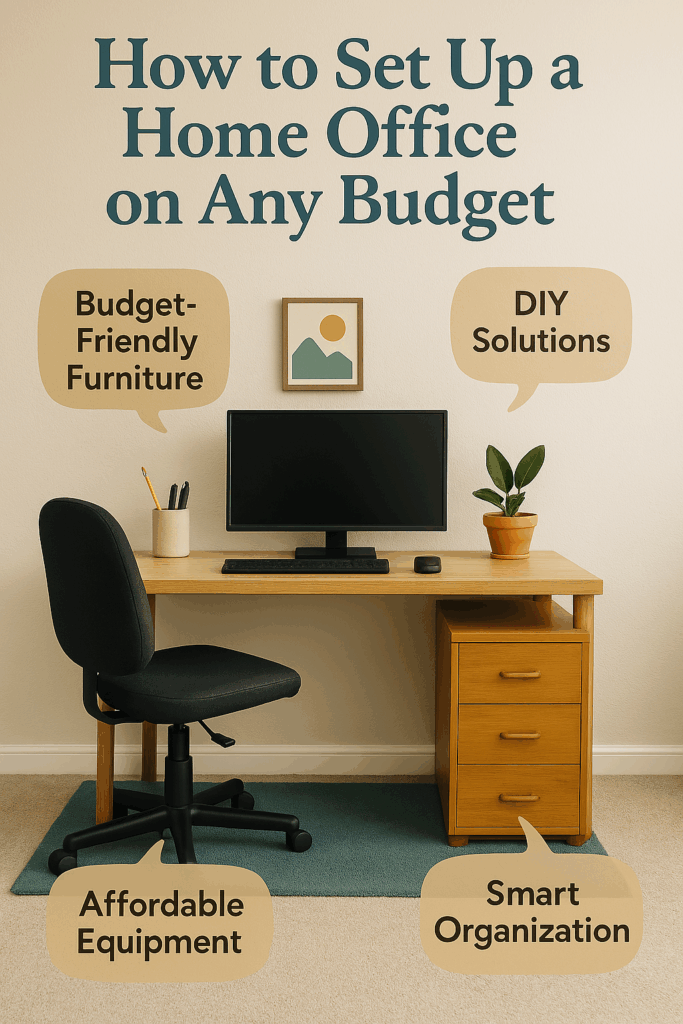
Your monitor, keyboard, and mouse should form an ergonomic triangle:
- Monitor at arm’s length, top of screen at eye level
- Keyboard at elbow height with wrists straight
- Mouse at same level as keyboard, close to your body
The 90-90-90 Rule
Maintain 90-degree angles at:
- Elbows while typing
- Hips while sitting
- Knees with feet flat on floor
Cable Management Made Simple 📡
A clean desk is a productive desk:
- Under-desk cable tray ($20-40) keeps wires hidden
- Cable clips ($5-10) guide wires along desk edge
- Cable sleeves ($10-20) bundle multiple cables together
- Power strip mount ($15-25) keeps outlets accessible but hidden
Monitor Considerations: Single vs. Dual Setup 🖥️
Single Monitor Setup
Perfect for:
- Budget-conscious users
- Limited desk space
- Simple tasks like writing or basic productivity
Recommended sizes:
- 24-27 inches for most users
- 32+ inches if you want to replace dual monitors
- 4K resolution for crisp text and images
Dual Monitor Setup
Ideal for:
- Multitasking professionals
- Developers and designers
- Data analysts and researchers
- Anyone who references multiple documents
Productivity benefits:
- Up to 42% increase in productivity for knowledge workers
- Reduced alt-tab switching between applications
- Better workflow organization
Lighting Setup: Natural vs. Artificial 💡
Maximizing Natural Light
- Position desk perpendicular to windows to avoid glare
- Use sheer curtains to diffuse harsh sunlight
- Light-colored walls reflect natural light throughout the room
Artificial Lighting Solutions
- Desk lamp with adjustable brightness (1000-2000 lumens)
- Bias lighting behind monitor reduces eye strain
- Ambient lighting creates comfortable atmosphere
- Color temperature between 5000K-6500K for focus
Chair Importance: Why Your Back Will Thank You 🪑
Your chair is arguably the most important piece of equipment in your home office. Here’s what to look for:
Essential Features
- Adjustable seat height (17-21 inches from floor)
- Lumbar support for lower back health
- Armrests that adjust with desk height
- Breathable fabric or mesh back
- Stable base with smooth-rolling casters
Budget-Friendly Options
- IKEA Markus ($60-80) – best bang for buck
- Staples Hyken ($150-200) – mesh back, good adjustability
- HON Exposure ($100-150) – simple but effective
Premium Choices
- Herman Miller Aeron – the gold standard
- Steelcase Leap V2 – excellent lumbar support
- Humanscale Freedom – minimal adjustment needed
Webcam and Audio: Video Call Essentials 📹
With remote work here to stay, professional video presence is crucial:
Webcam Recommendations
- Budget: Logitech C270 ($20-30)
- Mid-range: Logitech C920 ($50-80)
- Premium: Logitech Brio 4K ($150-200)
Audio Solutions
- Built-in laptop mic (basic but functional)
- USB microphone like Blue Yeti ($80-120)
- Wireless headset for longer calls ($50-150)
- Acoustic panels to reduce echo ($30-100)
Lighting for Video Calls
- Ring light ($25-50) for even facial lighting
- Softbox light ($40-80) for professional look
- Natural light from window (free but variable)
Storage Solutions: Organizing Without Fancy Furniture 📦
Vertical Storage
- Floating shelves maximize wall space
- Tall bookcases store more in less floor space
- Wall-mounted organizers keep desk clear
Hidden Storage
- Ottoman with storage doubles as seating
- Under-desk drawers on wheels
- Behind-door organizers for supplies
Desktop Organization
- Desk pad with built-in organizer
- Monitor stand with storage underneath
- Magnetic strips for small metal items
- Drawer dividers for organized storage
Ergonomics Basics: Preventing Neck and Back Pain 🏥
Screen Position
- Top of monitor at or slightly below eye level
- 20-26 inches away from your face
- Tilted back 10-20 degrees to reduce neck strain
Keyboard and Mouse
- Elbows at 90 degrees or slightly more
- Wrists straight while typing
- Mouse at same level as keyboard
- Feet flat on floor or footrest
The 20-20-20 Rule
Every 20 minutes, look at something 20 feet away for 20 seconds. This prevents eye strain and maintains focus.
Movement and Stretching
- Stand and stretch every hour
- Shoulder rolls to prevent tension
- Neck stretches to counteract forward head posture
- Walking meetings when possible
Smart Money-Saving Strategies 💡
Buy Used Equipment
- Office chairs from liquidation sales
- Monitors from business upgrades
- Desks from corporate relocations
- Filing cabinets from office closures
DIY Solutions
- Cardboard monitor stands (free with shipping boxes)
- Mason jar organizers for pens and supplies
- Wooden crate storage for books and files
- Painted pegboard for wall organization
Gradual Upgrades
- Start with essentials and upgrade over time
- Use existing furniture initially
- Invest in quality pieces that last longer
- Take advantage of sales and seasonal discounts
Tax Deductions
Many home office expenses are tax-deductible:
- Furniture and equipment (often 100% deductible)
- Office supplies and software
- Internet and phone bills (business portion)
- Home office space (if used exclusively for work)
Consult a tax professional for specific advice.
Seasonal Optimization: Year-Round Comfort 🌡️
Summer Setup
- Fan or portable AC for temperature control
- Blackout curtains to reduce heat gain
- Lighter colors to reflect heat
- Hydration station with water bottle
Winter Comfort
- Space heater for supplemental warmth
- Warm lighting to combat seasonal depression
- Cozy textiles like blankets and cushions
- Humidifier for dry air relief
Spring Cleaning
- Declutter unnecessary items
- Deep clean equipment and surfaces
- Organize cables and storage
- Refresh with new plants or decor
Advanced Tips for Maximum Productivity 🚀
Time Management
- Pomodoro Technique with desk timer
- Time blocking calendar on wall
- Distraction elimination through environment design
- Ritual creation to start/end workday
Technology Integration
- Smart home devices for voice control
- Wireless charging pads for devices
- USB hubs for easy connectivity
- Backup solutions for important files
Personal Touches
- Plants for air quality and mood
- Artwork for inspiration
- Family photos for motivation
- Essential oils for aromatherapy
Common Mistakes to Avoid ⚠️
Ergonomic Errors
- Monitor too low causing neck strain
- Chair too high/low affecting circulation
- Keyboard at wrong angle causing wrist pain
- Poor lighting leading to eye strain
Organization Mistakes
- Cables everywhere creating visual clutter
- No storage system leading to mess
- Desk too small for all equipment
- Poor workflow design
Budget Blunders
- Buying cheap items that break quickly
- Overlooking ergonomics for style
- Not planning for future needs
- Ignoring tax deductions for business expenses
Future-Proofing Your Home Office 🔮
Technology Trends
- USB-C everything for universal connectivity
- Wireless technology reducing cable clutter
- 4K monitors becoming standard
- AI-powered productivity tools
Flexibility Features
- Modular furniture that adapts to needs
- Adjustable height desks and monitors
- Mobile storage solutions
- Multi-purpose equipment
Health and Wellness
- Air quality monitors for optimal breathing
- Ergonomic accessories for comfort
- Mental health considerations in design
- Sustainable materials for environmental impact
Conclusion: Your Perfect Home Office Awaits! 🎯
Creating an effective home office doesn’t require a massive budget – it requires smart planning, gradual investment, and attention to ergonomics and productivity. Whether you’re working with $200 or $2000, the key is to prioritize the essentials first and upgrade strategically over time.
Remember, the best home office is one that supports your work style, fits your budget, and evolves with your needs. Start with the basics, invest in quality where it matters most (especially your chair!), and don’t be afraid to get creative with DIY solutions.
Your productivity, health, and job satisfaction will thank you for the investment in a proper workspace. Now stop procrastinating and start building your dream home office – your future self will thank you! 💪
Ready to get started? Begin with our $200 budget setup and upgrade as your needs and budget allow. Your perfect home office is just a few smart purchases away!
Did this guide help you set up your home office? Share your setup photos and money-saving tips in the comments below! And don’t forget to bookmark this guide for when you’re ready to upgrade your workspace.