
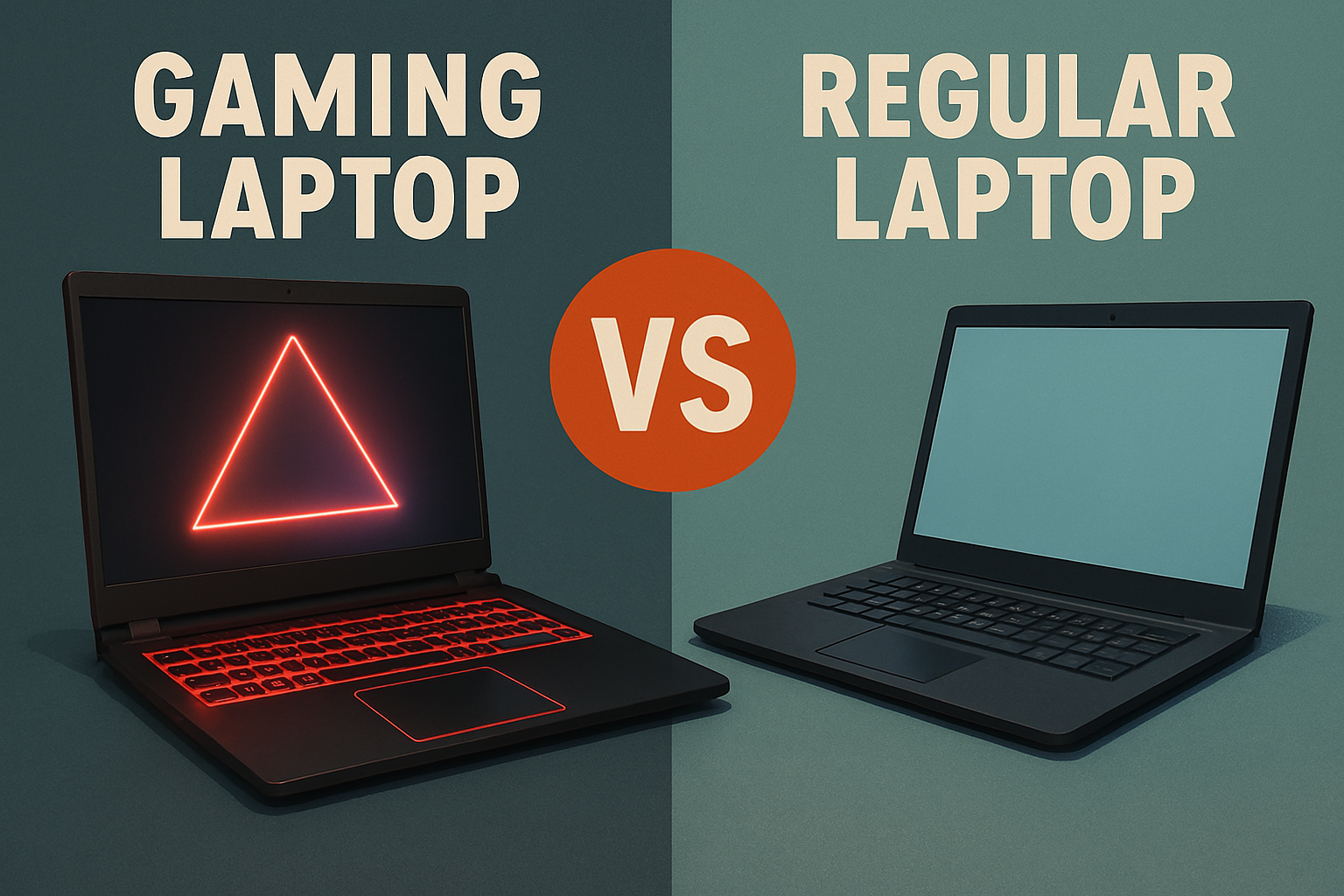
Which One Should You Actually Buy? 🎮💻
Choosing between a gaming laptop and a regular laptop can feel overwhelming, especially when you’re bombarded with flashy marketing and technical jargon. With thousands of options available and prices ranging from $500 to $5,000+, making the wrong choice could cost you hundreds of dollars and months of frustration.
This comprehensive guide will help you understand the real differences between gaming laptops and regular laptops, so you can make an informed decision that fits your needs and budget perfectly. Whether you’re a student, professional, casual gamer, or hardcore enthusiast, we’ll break down everything you need to know.
What Makes a Gaming Laptop Different? 🔧
Powerful Graphics Cards (GPU)
The biggest difference between gaming and regular laptops is the dedicated graphics card. Gaming laptops feature powerful GPUs from NVIDIA (RTX 4060, 4070, 4080, 4090) or AMD (RX 7600M, 7700S, 7800M), while regular laptops typically rely on integrated graphics built into the processor.
Gaming Laptop GPU Benefits:
- Handles modern games at high settings
- Supports ray tracing and DLSS/FSR technologies
- Excellent for video editing and 3D rendering
- Future-proof for upcoming game releases
Regular Laptop Graphics:
- Integrated graphics (Intel Iris, AMD Radeon)
- Perfect for everyday tasks like browsing, streaming, office work
- Can handle light gaming and older titles
- Much better battery efficiency
High-Performance Processors
Gaming laptops typically feature high-end CPUs with more cores and higher clock speeds. You’ll find processors like Intel Core i7-13700H or AMD Ryzen 9 7940HS, designed to handle demanding games and multitasking without bottlenecks.
Regular laptops often use more efficient processors like Intel Core i5-1335U or AMD Ryzen 5 7530U, which provide excellent performance for productivity tasks while consuming less power.
Enhanced Cooling Systems
Gaming laptops require sophisticated cooling solutions to handle the heat generated by powerful components. This includes multiple fans, heat pipes, and larger air vents. Regular laptops have simpler cooling systems since they don’t need to dissipate as much heat.
Price Comparison: What You’re Really Paying For 💰
Gaming Laptop Price Ranges
- Budget Gaming ($800-$1,200): Entry-level gaming with GTX 1650 or RTX 4050
- Mid-Range Gaming ($1,200-$2,000): Solid 1080p gaming with RTX 4060/4070
- High-End Gaming ($2,000-$3,500): Premium 1440p/4K gaming with RTX 4080/4090
- Ultra-Premium Gaming ($3,500+): Top-tier performance with premium build quality
Regular Laptop Price Ranges
- Budget Options ($300-$600): Basic computing, web browsing, office tasks
- Mid-Range ($600-$1,200): Excellent for productivity, light creative work
- Premium ($1,200-$2,500): High-end business laptops, ultrabooks
- Luxury ($2,500+): Premium materials, exceptional build quality
The price difference exists because gaming laptops include expensive components like dedicated graphics cards, high-refresh displays, and advanced cooling systems that regular laptops don’t need.
Battery Life: The Gaming Laptop’s Achilles’ Heel 🔋
Gaming Laptop Battery Reality
Gaming laptops typically provide 2-4 hours of battery life during normal use, and even less when gaming. The powerful components consume significantly more power, and the large, high-refresh displays drain the battery quickly.
Typical Gaming Laptop Battery Life:
- Web browsing/office work: 3-5 hours
- Video streaming: 2-4 hours
- Light gaming: 1-2 hours
- Intensive gaming: 30-90 minutes
Regular Laptop Battery Champions
Modern regular laptops, especially ultrabooks, can easily provide 8-12 hours of battery life. Some efficient models like the MacBook Air M2 or Dell XPS 13 can last 15+ hours with light usage.
Regular Laptop Battery Life:
- Web browsing/office work: 8-12 hours
- Video streaming: 6-10 hours
- Light tasks: 10-15 hours
- Standby time: Several days
If portability and all-day battery life are crucial for your workflow, regular laptops have a significant advantage.
Weight and Portability: Size Matters 📏
Gaming Laptop Dimensions
Gaming laptops are typically thicker and heavier due to their powerful components and cooling systems. Most gaming laptops weigh 4-8 pounds and measure 1-2 inches thick.
Common Gaming Laptop Sizes:
- 15.6-inch: 4-6 pounds, 0.9-1.5 inches thick
- 17.3-inch: 5-8 pounds, 1.2-2 inches thick
- Compact gaming: 3-4 pounds, 0.7-1 inch thick (rare)
Regular Laptop Portability
Regular laptops, especially ultrabooks, prioritize portability. Many models weigh just 2-4 pounds and measure 0.5-0.8 inches thick.
Regular Laptop Sizes:
- 13-inch ultrabooks: 2-3 pounds, 0.5-0.7 inches thick
- 15-inch productivity: 3-4 pounds, 0.6-0.9 inches thick
- 17-inch desktop replacement: 4-6 pounds, 0.8-1.2 inches thick
If you frequently travel or carry your laptop to meetings, classes, or coffee shops, the weight difference becomes very noticeable over time.
Performance for Daily Tasks: Do You Need Gaming Power? ⚡
What Regular Laptops Handle Perfectly
Modern regular laptops excel at everyday computing tasks without breaking a sweat:
Excellent Performance For:
- Web browsing with multiple tabs
- Microsoft Office suite (Word, Excel, PowerPoint)
- Video streaming (Netflix, YouTube, etc.)
- Light photo editing (basic Photoshop work)
- Programming and development
- Video calls and remote work
- Email and communication
- Music and media consumption
When Gaming Power Helps Daily Tasks
Gaming laptops can be overkill for basic tasks, but their extra power benefits certain activities:
Gaming Laptop Advantages:
- Heavy video editing and rendering
- 3D modeling and CAD work
- Virtual machines and development environments
- Streaming while gaming
- Multiple demanding applications simultaneously
- AI and machine learning tasks
- Professional content creation
For most users, a regular laptop provides more than enough performance for daily computing needs.
Gaming Performance: The Real Test 🎮
Gaming Laptop Gaming Performance
Gaming laptops deliver smooth, high-quality gaming experiences:
1080p Gaming:
- Budget gaming laptops: Medium-high settings, 60+ FPS
- Mid-range gaming laptops: High-ultra settings, 60-120+ FPS
- High-end gaming laptops: Ultra settings, 120+ FPS
1440p Gaming:
- Mid-range gaming laptops: Medium-high settings, 60+ FPS
- High-end gaming laptops: High-ultra settings, 60-120+ FPS
4K Gaming:
- Only high-end gaming laptops with RTX 4080/4090
- Medium-high settings, 60+ FPS in most games
Regular Laptop Gaming Limitations
Regular laptops with integrated graphics can handle:
Light Gaming:
- Older games (5+ years old) at low-medium settings
- Indie games and 2D titles
- Casual games like Minecraft, Stardew Valley
- Browser-based games
- Emulated retro games
Performance Expectations:
- 720p-1080p resolution
- Low-medium graphics settings
- 30-60 FPS in supported games
- Limited to less demanding titles
Heat and Noise: The Comfort Factor 🌡️
Gaming Laptop Thermal Challenges
Gaming laptops generate significant heat during intensive use, leading to:
Common Issues:
- Fan noise during gaming (often quite loud)
- Warm keyboard and palm rest areas
- Thermal throttling under sustained load
- Need for cooling pads or external solutions
- Reduced performance in hot environments
Regular Laptop Thermal Advantages
Regular laptops run cooler and quieter because:
Benefits:
- Minimal fan noise during normal use
- Comfortable keyboard and trackpad temperatures
- Consistent performance without thermal throttling
- No need for additional cooling solutions
- Better performance in various environments
If you work in quiet environments or value a comfortable typing experience, regular laptops have clear advantages.
Design and Build Quality: Professional vs Gaming Aesthetics 🎨
Gaming Laptop Design Language
Gaming laptops typically feature:
Visual Characteristics:
- RGB lighting systems
- Aggressive, angular designs
- Gaming-focused branding
- Colorful accents and highlights
- Transparent or mesh elements
- Bold, attention-grabbing appearance
Regular Laptop Professional Design
Regular laptops often prioritize:
Professional Features:
- Clean, minimalist aesthetics
- Neutral color schemes (black, silver, white)
- Subtle branding
- Business-appropriate appearance
- Premium materials (aluminum, carbon fiber)
- Elegant, understated design
Consider your environment and professional needs when choosing between these design philosophies.
Upgrade Potential: Future-Proofing Your Investment 🔧
Gaming Laptop Upgradability
Many gaming laptops offer some upgrade options:
Commonly Upgradeable:
- RAM (memory) expansion
- Storage (SSD) replacement/addition
- Wi-Fi card replacement
- Battery replacement (professional service)
Usually Not Upgradeable:
- Graphics card (GPU)
- Processor (CPU)
- Display panel
- Cooling system
Regular Laptop Upgrade Limitations
Regular laptops, especially ultrabooks, have limited upgrade options:
Possible Upgrades:
- Storage (SSD) in some models
- RAM in select models
- Battery replacement (professional service)
Typical Limitations:
- Soldered components
- Compact design restrictions
- Manufacturer-specific parts
- Warranty voiding concerns
Gaming laptops generally offer more upgrade flexibility, extending their useful lifespan.
Longevity: How Long Will Your Laptop Last? ⏰
Gaming Laptop Lifespan
Gaming laptops typically remain gaming-capable for:
Performance Timeline:
- Years 1-2: Play new games at high settings
- Years 3-4: Play new games at medium settings
- Years 5-6: Play new games at low settings or older games
- Years 7+: Light gaming and productivity only
Regular Laptop Longevity
Regular laptops often last longer for their intended purposes:
Typical Lifespan:
- Years 1-3: Excellent performance for all tasks
- Years 4-5: Good performance, minor slowdowns
- Years 6-8: Adequate for basic tasks
- Years 9+: Basic computing only
Regular laptops may last longer because they’re not pushed to their performance limits as frequently.
Best Use Cases: When Each Type Makes Sense 🎯
Choose a Gaming Laptop If You:
- Play modern games regularly
- Need high-performance graphics for work
- Do video editing or 3D rendering
- Stream content while gaming
- Want the best possible performance
- Don’t mind carrying extra weight
- Have access to power outlets frequently
- Can tolerate fan noise and heat
Choose a Regular Laptop If You:
- Primarily use your laptop for productivity
- Value battery life and portability
- Work in quiet environments
- Need a professional appearance
- Have a limited budget
- Rarely or never play games
- Prefer fanless or quiet operation
- Want the lightest possible device
Budget-Friendly Alternatives: Smart Compromises 💡
Light Gaming on Regular Laptops
If you want occasional gaming without gaming laptop costs:
Options:
- AMD Ryzen processors with Radeon graphics
- Intel processors with Iris Xe graphics
- Laptops with MX-series discrete graphics
- Cloud gaming services (GeForce Now, Xbox Cloud Gaming)
Budget Gaming Laptops
For gaming on a budget:
Recommendations:
- Previous-generation gaming laptops (often discounted)
- Entry-level gaming laptops with GTX 1650/RTX 4050
- Refurbished gaming laptops from reputable sellers
- Gaming laptops during sales events
External Solutions
Consider these hybrid approaches:
Creative Options:
- Regular laptop + external GPU enclosure
- Desktop PC for gaming + ultrabook for mobility
- Gaming console + regular laptop combination
- Cloud gaming subscription + any laptop
Making Your Decision: A Simple Framework 🤔
Ask Yourself These Questions:
- What’s my primary use case? (Gaming, work, or both?)
- How important is portability? (Daily carrying vs. occasional movement)
- What’s my budget? (Total cost including accessories)
- How often will I game? (Daily, weekly, monthly, or rarely?)
- Where will I use it? (Office, home, travel, or mixed?)
- How long do I want it to last? (2-3 years vs. 5+ years)
Decision Matrix:
Choose Gaming Laptop If:
- Gaming is a primary use case
- You need high-performance graphics
- Budget allows for higher cost
- Portability is not crucial
- You have reliable power access
Choose Regular Laptop If:
- Productivity is the main focus
- Battery life is important
- You need maximum portability
- Budget is limited
- Professional appearance matters
Final Recommendations: Our Top Picks 🏆
Best Gaming Laptops by Budget:
Budget Gaming ($800-$1,200):
- ASUS TUF Gaming F15
- Acer Nitro 5
- Lenovo Legion 5
Mid-Range Gaming ($1,200-$2,000):
- ASUS ROG Strix G15
- MSI Katana GF66
- HP Omen 16
High-End Gaming ($2,000+):
- ASUS ROG Zephyrus G16
- Alienware m15 R7
- Razer Blade 15
Best Regular Laptops by Category:
Ultrabooks:
- Dell XPS 13
- MacBook Air M2
- Lenovo ThinkPad X1 Carbon
Productivity:
- MacBook Pro 14″
- Dell Latitude 7430
- HP Elite Dragonfly
Budget Options:
- ASUS VivoBook 15
- Acer Aspire 5
- Lenovo IdeaPad 3
Conclusion: Making the Right Choice for You ✅
The choice between a gaming laptop and regular laptop ultimately depends on your specific needs, budget, and priorities. Gaming laptops excel at high-performance tasks and gaming but sacrifice portability and battery life. Regular laptops prioritize efficiency, portability, and battery life while providing excellent performance for everyday tasks.
Consider your primary use cases, budget constraints, and lifestyle factors when making your decision. Remember that both types of laptops can serve multiple purposes – gaming laptops can handle productivity tasks excellently, while some regular laptops can manage light gaming.
Whatever you choose, invest in a laptop that aligns with your actual needs rather than aspirational ones. A well-chosen laptop, whether gaming or regular, will serve you well for years to come and provide excellent value for your investment.
Key Takeaways:
- Gaming laptops are worth it if you actually game regularly
- Regular laptops provide better value for most users
- Consider your actual use cases, not just specifications
- Battery life and portability matter more than you might think
- Both types can last 5+ years with proper care
- Your budget should align with your actual needs
Make your choice based on what you’ll actually do with your laptop, not what you think you might do someday. Your future self will thank you for making a practical, well-informed decision. 🎮💻