
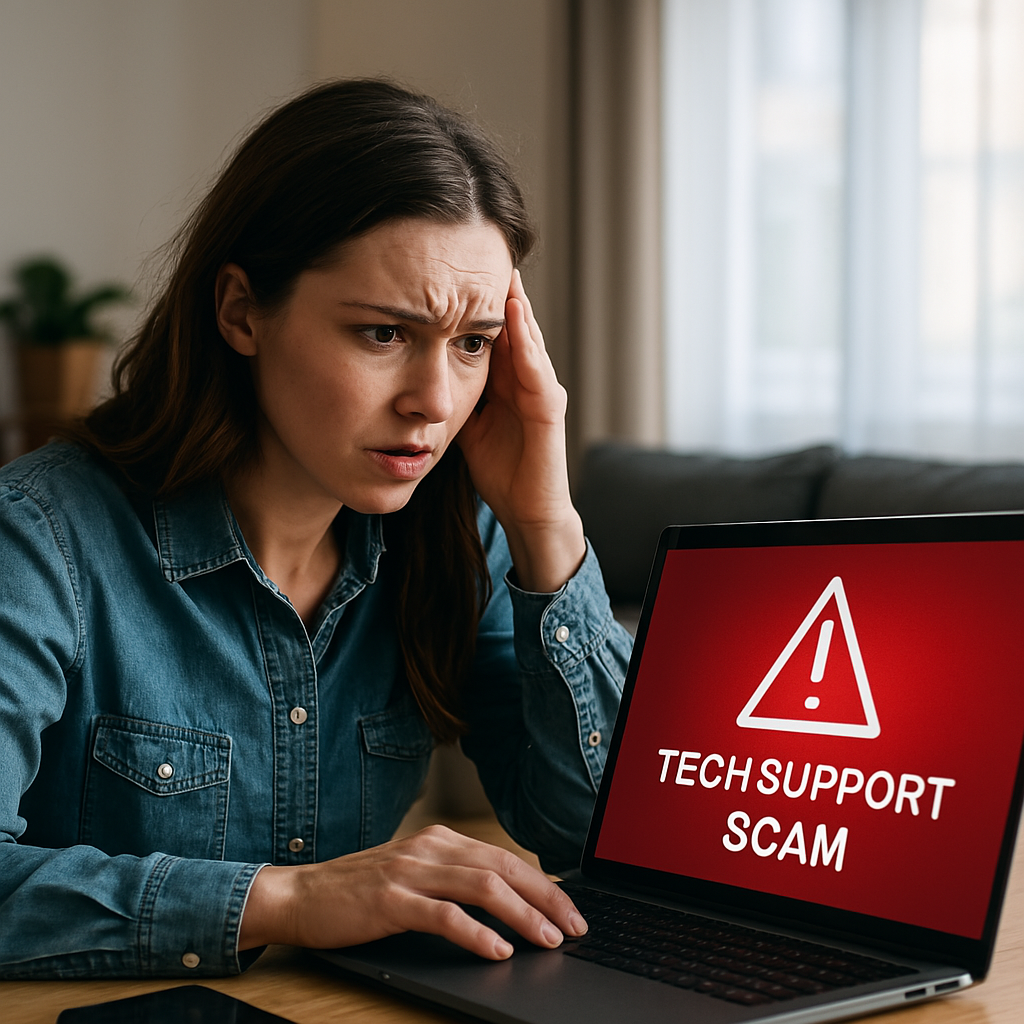
🚨 How to Recognize and Avoid Them – Your Complete Protection Guide
Tech support scams have become one of the most prevalent and dangerous forms of cybercrime in 2025, with millions of people falling victim to these sophisticated schemes every year. These scams cost Americans over $347 million annually, according to the Federal Trade Commission, and the numbers continue to rise as scammers develop increasingly convincing tactics.
Whether you’re a tech-savvy professional or someone who simply uses a computer for basic tasks, understanding how to recognize and avoid tech support scams is crucial for protecting your money, personal information, and digital security. This comprehensive guide will arm you with the knowledge you need to stay safe from these predatory schemes.
🎯 What Are Tech Support Scams?
Tech support scams are fraudulent schemes where criminals impersonate legitimate technology companies or support technicians to trick victims into providing remote access to their computers, personal information, or money. These scammers often pose as representatives from well-known companies like Microsoft, Apple, Google, or major antivirus software providers.
The scammers typically use fear tactics, claiming your computer is infected with viruses, has been hacked, or is at immediate risk. They create a sense of urgency to prevent victims from thinking clearly or seeking second opinions. Once they gain your trust, they may install malware, steal personal information, or demand payment for unnecessary “fixes.”
📞 Common Types of Tech Support Scams
Cold Call Scams
The most traditional form of tech support scam involves unsolicited phone calls. Scammers call random numbers, claiming to be from Microsoft, Apple, or other tech companies. They often use sophisticated caller ID spoofing to make their calls appear legitimate.
Red Flag Warning: 🚩 Real tech companies like Microsoft and Apple NEVER make unsolicited calls to customers about computer problems. If you receive such a call, it’s 100% a scam.
Pop-up and Browser Scams
These scams appear as alarming pop-up windows while you’re browsing the internet. The pop-ups display fake security warnings, claiming your computer is infected or compromised. They often include loud audio alerts and fake system scans to create panic.
Common pop-up scam messages include:
- “Your computer is infected with 5 viruses!”
- “Windows Security Alert: Your PC is at risk”
- “Call Microsoft Support immediately”
- “Your computer will be disabled in 5 minutes”
Email Phishing Scams
Scammers send emails that appear to be from legitimate tech companies, warning about security issues or subscription renewals. These emails often contain malicious links or attachments designed to steal your information or install malware.
Social Media and Online Ad Scams
Fraudulent tech support advertisements appear on social media platforms and search engines. These ads often target people searching for legitimate tech support, redirecting them to fake support websites.
🕵️ How to Recognize Tech Support Scams: Warning Signs
Unsolicited Contact
Major Red Flag: If someone contacts you claiming to be from a tech company without you initiating contact, it’s likely a scam. Legitimate companies don’t make cold calls about computer problems.
Urgent Language and Pressure Tactics
Scammers use phrases like:
- “Your computer will be permanently damaged”
- “Act now or lose all your data”
- “Your bank account is at risk”
- “We need immediate access to fix this”
Requests for Remote Access
Never Allow: Scammers often ask to remotely access your computer using software like TeamViewer, AnyDesk, or similar remote desktop tools. Once they have access, they can install malware, steal files, or manipulate your system to “prove” there are problems.
Unusual Payment Methods
Legitimate tech support companies don’t ask for payment via:
- Gift cards (iTunes, Google Play, Amazon)
- Wire transfers
- Cryptocurrency
- Prepaid debit cards
- Cash apps
Generic Greetings and Information
Scammers often use generic greetings like “Dear Customer” instead of your actual name. They may also claim to have detected problems on your computer without knowing your specific system details.
High-Pressure Sales Tactics
Scammers push expensive “solutions” ranging from $200 to $500 or more for basic computer maintenance that you can do yourself or get done legitimately for much less.
🛡️ How to Protect Yourself from Tech Support Scams
Verify Contact Information
If you receive a suspicious call or email:
- Hang up immediately – Don’t engage with the caller
- Don’t click any links in suspicious emails
- Contact the company directly using official phone numbers from their website
- Never call numbers provided in pop-ups or suspicious emails
Keep Your Software Updated
- Enable automatic updates for your operating system
- Keep your web browser updated
- Use reputable antivirus software
- Install security patches promptly
Use Strong Security Settings
- Enable two-factor authentication on important accounts
- Use strong, unique passwords
- Keep your firewall enabled
- Be cautious with admin privileges
Educate Yourself on Legitimate Support
- Know how real tech companies communicate
- Understand that legitimate support is usually available through official websites
- Learn about your computer’s built-in security features
- Familiarize yourself with common computer maintenance tasks
🚨 What to Do If You’re Contacted by Scammers
During the Call or Interaction
- Don’t provide personal information – Never give out passwords, Social Security numbers, or financial information
- Don’t download software – Refuse any requests to install remote access tools
- Don’t make payments – Never pay for services you didn’t request
- Document the interaction – Note the caller’s number, name, and company claims
- End the conversation – Hang up or close the browser immediately
After Suspicious Contact
- Run a security scan – Use your legitimate antivirus software
- Change passwords – Update passwords for important accounts
- Monitor accounts – Check bank and credit card statements
- Report the scam – File reports with appropriate authorities
📱 Platform-Specific Scam Warnings
Windows Computer Scams
- Microsoft never calls about Windows license issues
- Windows Defender provides built-in protection
- System warnings appear through official Windows notifications, not pop-ups
- Windows updates are free and automatic
Mac Computer Scams
- Apple never makes unsolicited support calls
- macOS includes built-in security features
- Real Apple support is available through official channels
- Apple doesn’t send virus warnings via pop-ups
Mobile Device Scams
- Android and iOS have built-in security
- App stores screen applications for malware
- Mobile carriers don’t call about device infections
- Suspicious apps should be deleted immediately
🎯 Special Considerations for Vulnerable Groups
Protecting Older Adults
Seniors are often targeted by tech support scammers because they may be less familiar with technology. If you have elderly family members:
- Educate them about common scam tactics
- Set up their devices with proper security settings
- Provide emergency contacts for tech questions
- Monitor their accounts for suspicious activity
- Encourage questions – they should always ask family before taking action
Business Protection
Small businesses are increasingly targeted by sophisticated scammers:
- Train employees to recognize scam calls
- Establish protocols for IT support requests
- Use managed IT services from reputable providers
- Implement security policies for remote access
- Regular security audits to identify vulnerabilities
📋 Red Flags Checklist: Is This a Scam?
Use this quick checklist when you encounter potential tech support scams:
🚩 Immediate Red Flags:
- [ ] Unsolicited contact claiming computer problems
- [ ] Urgent language about immediate threats
- [ ] Requests for remote computer access
- [ ] Demands for immediate payment
- [ ] Payment requests via gift cards or wire transfers
- [ ] Generic greetings without personal information
- [ ] High-pressure sales tactics
- [ ] Claims about expired warranties or licenses
✅ Legitimate Support Characteristics:
- [ ] You initiated the contact
- [ ] Payment through official company channels
- [ ] No pressure to act immediately
- [ ] Verifiable company information
- [ ] Professional communication
- [ ] Clear explanation of services
- [ ] Reasonable pricing for services
🔍 How to Find Legitimate Tech Support
Official Company Channels
- Visit company websites directly (don’t click links from emails)
- Use official customer support phone numbers
- Access support through your device’s built-in help systems
- Use manufacturer warranty services
Third-Party Support Options
- Local computer repair shops with good reviews
- Certified technicians with proper credentials
- Recommendations from trusted friends or family
- Professional IT service providers
Free Resources
- Manufacturer support websites and forums
- Community tech support forums
- Library computer classes and assistance
- Senior center technology help programs
💰 Financial Protection Strategies
If You’ve Been Scammed
- Contact your bank immediately – Report unauthorized transactions
- File a police report – Document the crime officially
- Contact credit bureaus – Place fraud alerts on your credit reports
- Change all passwords – Update login credentials for all accounts
- Monitor accounts closely – Watch for suspicious activity
Prevention Measures
- Never provide financial information to unsolicited callers
- Use secure payment methods for legitimate services
- Keep financial and personal information separate from tech support interactions
- Regularly review bank and credit card statements
📞 Where to Report Tech Support Scams
Federal Agencies
- Federal Trade Commission (FTC) – ReportFraud.ftc.gov
- FBI’s Internet Crime Complaint Center – ic3.gov
- FCC Consumer Complaint Center – consumercomplaints.fcc.gov
State and Local Resources
- State Attorney General’s office
- Local police departments
- Better Business Bureau
- State consumer protection agencies
Company-Specific Reporting
- Microsoft: reportascam@microsoft.com
- Apple: reportphishing@apple.com
- Google: safebrowsing.google.com/safebrowsing/report_phish/
🌐 Staying Updated on New Scam Tactics
Scammers constantly evolve their tactics, so staying informed is crucial:
Reliable Information Sources
- FTC Consumer Alerts
- Cybersecurity company blogs
- Technology news websites
- Government cybersecurity advisories
Community Resources
- Local senior centers often host scam awareness sessions
- Community forums and social media groups
- Neighborhood watch programs
- Technology user groups
🎓 Teaching Others About Scam Prevention
Family Education
- Share this information with family members
- Discuss recent scam attempts you’ve encountered
- Practice identifying red flags together
- Create family protocols for handling suspicious contact
Community Involvement
- Volunteer to speak at senior centers
- Share information on social media
- Participate in community awareness programs
- Support local cybersecurity education initiatives
🔐 Advanced Protection Techniques
Technical Safeguards
- Use ad blockers to reduce malicious pop-ups
- Enable browser security features
- Consider using a VPN for additional privacy
- Implement network-level security measures
Behavioral Security
- Develop healthy skepticism about unsolicited contact
- Verify claims through independent sources
- Take time to think before acting on urgent requests
- Trust your instincts when something feels wrong
🚨 Emergency Response Plan
Create a plan for handling scam attempts:
- Immediate Response
- End the interaction immediately
- Don’t provide any information
- Document details of the attempt
- Assessment Phase
- Run security scans on your devices
- Check for unauthorized access or changes
- Review recent account activity
- Recovery Actions
- Change passwords for affected accounts
- Contact relevant companies or institutions
- Monitor accounts for suspicious activity
- Report the incident to authorities
🌟 Building Long-Term Security Awareness
Protecting yourself from tech support scams is an ongoing process that requires vigilance and education. By understanding the tactics scammers use and maintaining healthy skepticism about unsolicited contact, you can significantly reduce your risk of becoming a victim.
Remember that legitimate tech companies will never contact you unexpectedly about computer problems, and real tech support professionals will never ask for payment via gift cards or wire transfers. When in doubt, always verify contact through official channels and don’t hesitate to ask trusted friends or family members for advice.
Stay informed about new scam tactics, share this knowledge with others, and remember that taking time to verify suspicious contact is always better than rushing into a potentially dangerous situation. Your cybersecurity is worth the extra effort to ensure you’re dealing with legitimate support providers.
By following the guidelines in this comprehensive guide, you’ll be well-equipped to recognize and avoid tech support scams, protecting both your financial security and personal information from these increasingly sophisticated threats.
💡 Remember: When in doubt, hang up and verify. No legitimate tech company will pressure you to act immediately or ask for payment via gift cards. Stay safe by staying informed!