
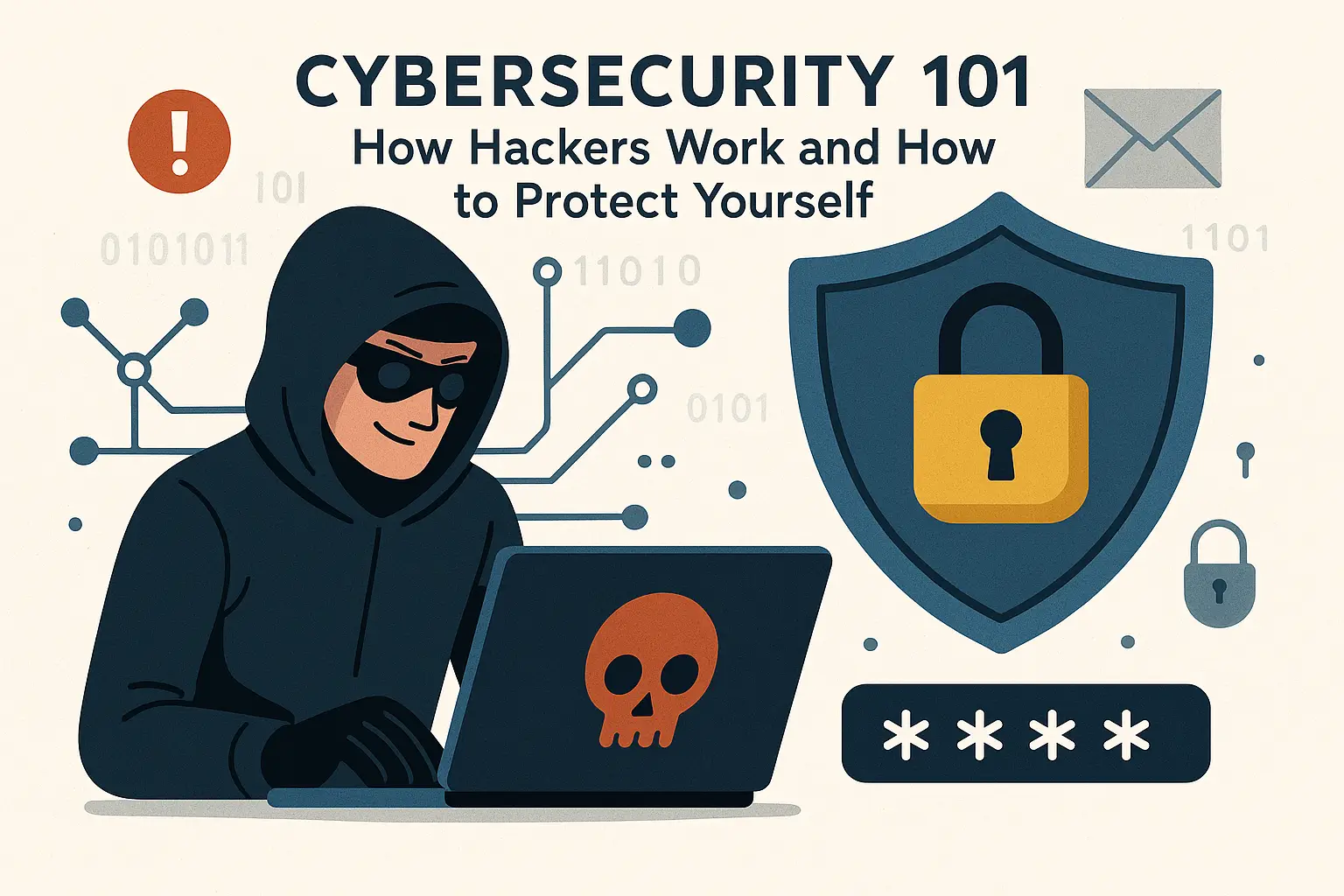
Cyber security 🔐
In today’s digital world, cybersecurity isn’t just a concern for tech companies and government agencies—it’s a necessity for everyone. With over 4.9 billion people using the internet daily, cybercriminals have more opportunities than ever to exploit vulnerabilities and steal personal information. Understanding how hackers operate and implementing proper security measures can mean the difference between staying safe online and becoming the next victim of cybercrime.
The Growing Threat Landscape 📈
Cybercrime has evolved from simple pranks to sophisticated operations that cost the global economy over $10.5 trillion annually. Every 39 seconds, there’s a cyber attack somewhere in the world, and the average person faces multiple security threats daily without even realizing it. From the moment you wake up and check your phone to the last online purchase you make before bed, you’re potentially exposing yourself to various cyber threats.
The COVID-19 pandemic accelerated digital transformation, pushing more people online for work, education, and entertainment. This shift created new vulnerabilities and expanded the attack surface for cybercriminals. Remote work environments often lack the robust security infrastructure of traditional offices, making employees and their personal devices attractive targets for hackers.
How Hackers Actually Work: Inside the Criminal Mind 🧠
Understanding hacker methodologies is crucial for effective protection. Contrary to popular media portrayals, most hackers don’t spend hours frantically typing code in dark rooms. Instead, they use systematic approaches that exploit human psychology and technical vulnerabilities.
Social Engineering: The Human Factor 👥
Social engineering remains the most effective weapon in a hacker’s arsenal because it targets the weakest link in any security system: humans. These attacks manipulate people into divulging confidential information or performing actions that compromise security.
Phishing attacks represent the most common form of social engineering. Hackers craft convincing emails, text messages, or websites that appear to come from legitimate sources like banks, employers, or popular services. These messages often create urgency, claiming your account will be closed or that immediate action is required. The goal is to trick you into clicking malicious links or providing sensitive information like passwords, credit card numbers, or Social Security numbers.
Spear phishing takes this concept further by targeting specific individuals with personalized messages. Hackers research their targets through social media, company websites, and public records to craft highly convincing messages. A spear phishing email might reference your recent vacation photos, mention colleagues by name, or reference specific projects you’re working on.
Vishing (voice phishing) involves phone calls where scammers impersonate legitimate organizations. They might claim to be from your bank’s fraud department, tech support, or government agencies. These calls often include background noise and official-sounding language to increase credibility.
Technical Attack Methods 💻
Malware serves as the digital equivalent of a burglar’s toolkit. Different types serve different purposes:
- Viruses attach themselves to legitimate programs and spread when those programs are shared or executed
- Trojans disguise themselves as useful software while secretly performing malicious activities
- Ransomware encrypts your files and demands payment for the decryption key
- Spyware monitors your activities and steals personal information
- Adware bombards you with unwanted advertisements while potentially tracking your browsing habits
Network attacks target the infrastructure that connects our devices. Man-in-the-middle attacks occur when hackers intercept communications between two parties, often on unsecured public Wi-Fi networks. They can read your messages, steal login credentials, or inject malicious content into websites you visit.
SQL injection attacks target databases by inserting malicious code into web forms. When successful, these attacks can expose entire databases containing customer information, financial records, or other sensitive data.
Distributed Denial of Service (DDoS) attacks overwhelm websites or online services with traffic from multiple sources, making them unavailable to legitimate users. While not directly stealing information, these attacks can disrupt business operations and serve as smokescreens for other malicious activities.
Common Vulnerabilities That Put You at Risk ⚠️
Password Problems 🔑
Password security remains one of the most critical yet commonly ignored aspects of cybersecurity. Despite years of education, many people still use passwords like “password123,” “qwerty,” or their birth dates. These predictable patterns make it easy for hackers to gain unauthorized access to accounts.
Password reuse multiplies the risk exponentially. When you use the same password across multiple accounts, a breach at one service can compromise all your accounts. Hackers often use automated tools to test stolen passwords against popular websites and services.
Weak password recovery systems can also be exploited. Security questions with easily guessable answers (like your mother’s maiden name or your first pet’s name) provide alternative entry points for determined attackers.
Outdated Software and Systems 🔄
Software vulnerabilities are discovered regularly, and developers release patches to fix them. However, many users delay or ignore these updates, leaving their systems exposed to known threats. Hackers actively scan for systems running outdated software because they know exactly which vulnerabilities to exploit.
Operating system vulnerabilities can provide deep access to your device. Browser vulnerabilities can be exploited through malicious websites or advertisements. Application vulnerabilities in popular software can serve as entry points for malware.
Unsecured Networks 📡
Public Wi-Fi networks in coffee shops, airports, and hotels often lack proper security controls. These networks make it easy for hackers to intercept data transmitted by connected devices. Even networks that require passwords may not encrypt individual user traffic adequately.
Home network vulnerabilities are equally concerning. Many people never change default passwords on their routers or fail to update firmware regularly. Unsecured home networks can be compromised to access connected devices or used as launching points for attacks on other networks.
Essential Protection Strategies 🛡️
Password Security Best Practices 🔐
Creating strong, unique passwords for every account is fundamental to good cybersecurity. A strong password should be at least 12 characters long and include a mix of uppercase and lowercase letters, numbers, and special characters. Avoid dictionary words, personal information, or predictable patterns.
Password managers solve the challenge of remembering multiple complex passwords. These tools generate strong passwords for each account and store them securely, requiring you to remember only one master password. Popular options include Bitwarden, LastPass, and 1Password.
Two-factor authentication (2FA) adds an extra layer of security by requiring a second form of verification beyond your password. This might be a code sent to your phone, generated by an authenticator app, or provided by a hardware token. Even if hackers steal your password, they can’t access your account without the second factor.
Network Security Measures 🌐
Home network security starts with changing default passwords on all devices, including routers, smart TVs, and IoT devices. Enable WPA3 encryption on your Wi-Fi network and regularly update router firmware. Consider creating a separate network for smart home devices to isolate them from your main computers and mobile devices.
VPN usage encrypts your internet traffic and masks your IP address, making it much harder for hackers to intercept your data or track your online activities. This is especially important when using public Wi-Fi networks. Choose reputable VPN services that don’t log your activities and offer strong encryption protocols.
Firewall configuration helps monitor and control incoming and outgoing network traffic. Most operating systems include built-in firewalls, but many users leave them disabled. Enable and properly configure firewalls on all devices to block unauthorized access attempts.
Mobile Security Essentials 📱
Mobile devices contain vast amounts of personal information and often have weaker security controls than desktop computers. App permissions should be reviewed regularly—many apps request access to data they don’t need to function properly. Limit location access, camera access, and contact access to apps that genuinely require these permissions.
Mobile device management includes keeping your operating system and apps updated, using screen locks, and enabling remote wipe capabilities in case your device is lost or stolen. Consider using biometric locks like fingerprint or facial recognition for convenient yet secure access.
Safe browsing practices on mobile devices are crucial since smaller screens make it harder to identify suspicious links or fraudulent websites. Be especially cautious when clicking links in messages or emails, and always verify the URL before entering sensitive information.
Financial Protection Online 💳
Online Banking Security 🏦
Online banking requires extra vigilance because financial accounts are prime targets for cybercriminals. Always access your bank’s website by typing the URL directly into your browser rather than clicking links in emails. Look for the padlock icon in your browser’s address bar and verify that the URL begins with “https://” before entering login credentials.
Banking app security often exceeds website security because mobile apps can implement additional authentication methods. Enable all available security features, including biometric authentication, transaction notifications, and account alerts for unusual activity.
Regular account monitoring helps detect unauthorized transactions quickly. Check your accounts frequently and report suspicious activity immediately. Many banks offer real-time alerts for various account activities, which can help you respond quickly to potential fraud.
Credit Card Safety 💰
Secure payment methods for online purchases include using credit cards rather than debit cards when possible, as credit cards offer better fraud protection. Consider using virtual credit card numbers for online purchases or payment services like PayPal that don’t share your actual card information with merchants.
Transaction monitoring should include reviewing all credit card statements carefully and reporting unauthorized charges immediately. Many credit card companies offer mobile apps with real-time transaction notifications and the ability to temporarily freeze cards if suspicious activity is detected.
Privacy Fundamentals: Taking Control of Your Data 🔒
Understanding Data Collection 📊
Modern digital services collect vast amounts of personal information, often more than users realize. This data includes your browsing history, location information, purchase history, communication patterns, and even biometric data. Understanding what information is collected and how it’s used is crucial for making informed privacy decisions.
Third-party tracking occurs when companies collect information about your activities across different websites and services. This creates detailed profiles of your interests, habits, and preferences that can be used for targeted advertising or potentially exploited by malicious actors.
Data brokers compile and sell personal information obtained from various sources, including public records, retail purchases, and online activities. This information can be used for legitimate purposes like background checks, but it can also be exploited for identity theft or social engineering attacks.
Privacy Settings and Controls ⚙️
Social media privacy settings should be reviewed regularly as platforms frequently update their policies and add new features. Limit the information visible to the public and strangers, and be cautious about sharing location information or personal details that could be used to identify you offline.
Browser privacy settings can significantly reduce tracking and data collection. Enable private browsing modes when appropriate, clear cookies regularly, and consider using privacy-focused browsers like Firefox or Brave. Install ad blockers and tracking protection extensions to limit data collection by third parties.
Search engine privacy is often overlooked but equally important. Consider using privacy-focused search engines like DuckDuckGo that don’t track your searches or store personal information. If you use Google, review and adjust your search history settings and ad personalization preferences.
Security Tools and Software 🛠️
Antivirus and Anti-malware Solutions 🦠
Modern antivirus software goes beyond detecting known viruses to include real-time protection against various threats. Behavioral analysis identifies suspicious activities that might indicate malware infection, even if the specific malware isn’t in the signature database. Heuristic scanning analyzes code behavior to detect potentially malicious programs.
Endpoint protection for businesses includes additional features like centralized management, network monitoring, and advanced threat detection. For home users, built-in security features in Windows and macOS provide basic protection, but dedicated security software often offers more comprehensive protection.
Security Monitoring and Alerts 🚨
Credit monitoring services alert you to changes in your credit reports that might indicate identity theft. Many services also monitor the dark web for stolen personal information and provide alerts if your data appears in breaches.
Account monitoring tools can track all your online accounts and alert you to unusual login attempts or security breaches. Services like HaveIBeenPwned.com allow you to check if your email addresses or passwords have been compromised in known data breaches.
Backup and Recovery Solutions 💾
Regular backups are essential for protecting against ransomware attacks and data loss. Follow the 3-2-1 backup rule: keep three copies of important data, store them on two different types of media, and keep one copy offsite. Cloud storage services like Google Drive, Dropbox, or OneDrive provide convenient offsite backup options.
Recovery planning should include testing your backups regularly to ensure they work properly when needed. Document your recovery procedures and keep important information like software licenses and account recovery codes in a secure location.
Incident Response: What to Do If You’re Hacked 🚨
Immediate Response Steps 🏃♀️
If you suspect you’ve been hacked, immediate action is crucial to minimize damage. Disconnect the affected device from the internet to prevent further data theft or system damage. Don’t shut down the computer completely, as this might destroy evidence or interrupt legitimate security scans.
Change passwords for all important accounts, starting with email, banking, and social media accounts. Use a different device to change passwords if possible, as your compromised device might have keyloggers or other monitoring software installed.
Contact relevant institutions immediately if financial accounts are involved. Banks and credit card companies can freeze accounts and monitor for fraudulent activity. Consider placing fraud alerts on your credit reports to prevent new accounts from being opened in your name.
Investigation and Recovery 🔍
Document everything related to the incident, including suspicious emails, unusual account activity, and any error messages you encountered. This information will be valuable for law enforcement and can help prevent similar incidents in the future.
Professional help might be necessary for severe infections or if sensitive business data is involved. Cybersecurity professionals can perform forensic analysis to determine the extent of the breach and ensure complete removal of malicious software.
System restoration should be done carefully to avoid reinfecting your devices. If possible, restore from a backup that predates the infection. If no clean backup is available, you may need to completely reinstall your operating system and applications.
Future Threats and Emerging Challenges 🔮
AI-Powered Attacks 🤖
Artificial intelligence is revolutionizing cybersecurity, but it’s also providing new tools for cybercriminals. AI-generated phishing emails are becoming increasingly sophisticated, with grammar and content that’s nearly indistinguishable from legitimate communications. Machine learning algorithms can analyze social media profiles and other publicly available information to create highly targeted attacks.
Deepfake technology poses new challenges for identity verification and authentication. Cybercriminals can create convincing audio and video content that appears to show real people saying or doing things they never actually did. This technology could be used for fraud, blackmail, or to manipulate public opinion.
IoT Security Challenges 🏠
The Internet of Things (IoT) is expanding rapidly, with billions of connected devices entering homes and workplaces. Smart home devices often have weak security controls and are rarely updated, making them attractive targets for hackers. Compromised IoT devices can be used to access home networks, spy on occupants, or participate in large-scale cyberattacks.
Industrial IoT systems face even greater risks because they often control critical infrastructure like power grids, water treatment plants, and transportation systems. Attacks on these systems could have severe consequences for public safety and national security.
Quantum Computing Threats 🔬
Quantum computers promise to revolutionize many fields, but they also pose long-term threats to current encryption methods. While practical quantum computers capable of breaking current encryption are still years away, organizations and individuals should begin preparing for this eventuality.
Post-quantum cryptography research is developing new encryption methods that will be resistant to quantum attacks. The transition to quantum-resistant encryption will require significant planning and coordination across the entire technology industry.
Building a Security-Conscious Culture 🌟
Education and Awareness 📚
Continuous learning is essential in cybersecurity because threats evolve constantly. Stay informed about new attack methods, security best practices, and emerging technologies. Follow reputable cybersecurity news sources and consider taking online courses to deepen your understanding.
Family and workplace education extends security benefits beyond individual users. Teach family members about safe online practices, especially children who may be more vulnerable to certain types of attacks. Workplace security training should be regular and engaging to ensure employees understand their role in protecting organizational assets.
Creating Secure Habits 🔄
Security mindset involves thinking critically about the risks associated with online activities. Before clicking links, downloading software, or sharing personal information, consider the potential consequences and whether the benefits outweigh the risks.
Regular security reviews should include updating software, reviewing account permissions, changing passwords periodically, and assessing new threats. Schedule monthly security check-ups just as you would schedule regular health check-ups.
Conclusion: Your Digital Security Journey 🎯
Cybersecurity isn’t a destination—it’s an ongoing journey that requires constant attention and adaptation. The threat landscape will continue evolving, with new attack methods emerging regularly. However, by understanding how hackers operate and implementing comprehensive protection strategies, you can significantly reduce your risk of becoming a victim.
Remember that perfect security is impossible, but good security practices make you a much harder target than the average internet user. Hackers often look for easy targets, so even basic security measures can provide substantial protection. Start with the fundamentals: strong passwords, regular updates, and healthy skepticism about unsolicited communications.
The investment in cybersecurity education and tools is minimal compared to the potential cost of a successful attack. Whether it’s the inconvenience of recovering from identity theft, the financial loss from fraud, or the emotional stress of having your privacy violated, the consequences of poor cybersecurity can be severe and long-lasting.
Take action today to assess your current security posture and implement the strategies outlined in this guide. Your future self will thank you for the effort you put into protecting your digital life. Stay vigilant, stay informed, and stay secure. 🔐
Key Takeaways 🎯
- Cybersecurity is everyone’s responsibility in our connected world
- Social engineering remains the most effective attack method
- Strong passwords and two-factor authentication are fundamental protections
- Regular software updates close security vulnerabilities
- Privacy settings require regular review and adjustment
- Backup and recovery planning is essential for ransomware protection
- Incident response planning minimizes damage from successful attacks
- Continuous education and awareness are crucial for staying protected
The digital world offers incredible opportunities for connection, learning, and growth. By taking cybersecurity seriously and implementing these protective measures, you can enjoy these benefits while minimizing the risks. Remember: in cybersecurity, prevention is always better than cure.